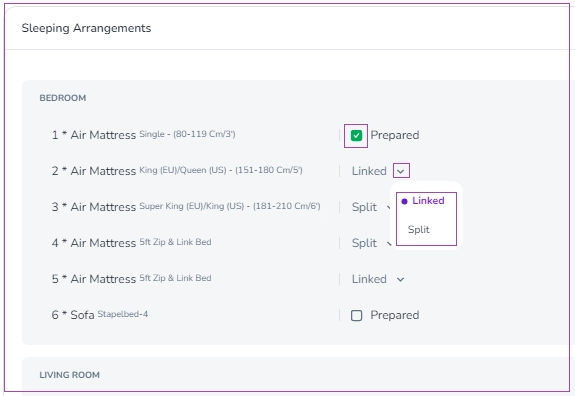
Sleeping Arrangements
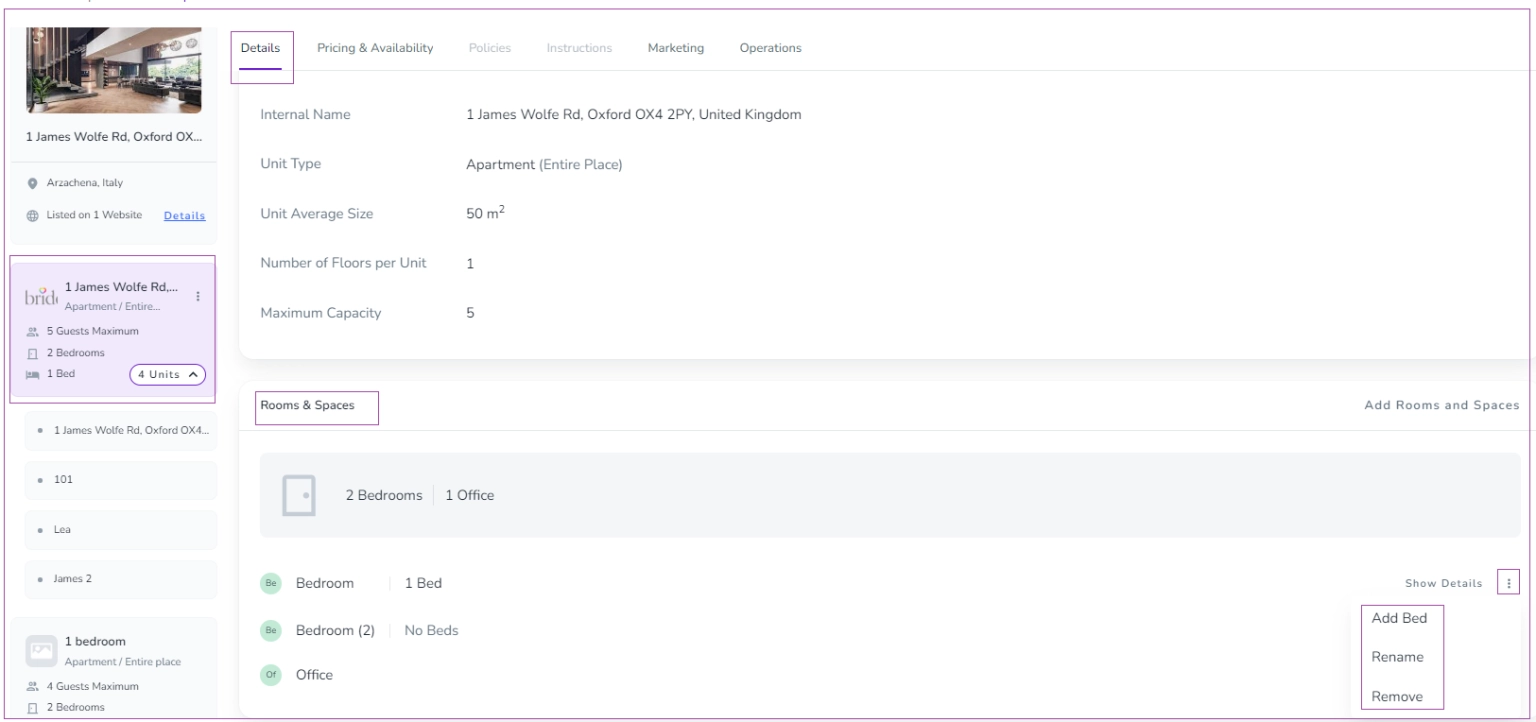
To set the Sleeping Arrangements, go to the Listing -> Unit Type level-> Details tab, Rooms & Spaces card abd click on three dots to Add Bed, Rename, or Remove. Then, you can override each of them in the Booking View under the Operations tab in the Sleeping Arrangements card.
You can hover on each to add or remove the tick box for Prepared. You can also change the Split to Linked or vice versa.