To help keep the platform secure and protect your account, Zeevou may require you to verify your identity before you can access certain features or complete specific actions.
Zeevou uses Didit to perform identity verification, while Zeevou manages your verification status and determines when you can access features that require a verified account.
You may be asked to verify your identity before you can:
Go live
Publish listings
Connect channels
If your identity has already been verified, you can continue with these actions without verifying again.
When you perform an action that requires identity verification, Zeevou checks your verification status.
If your identity hasn't been verified, you'll see the following prompt:
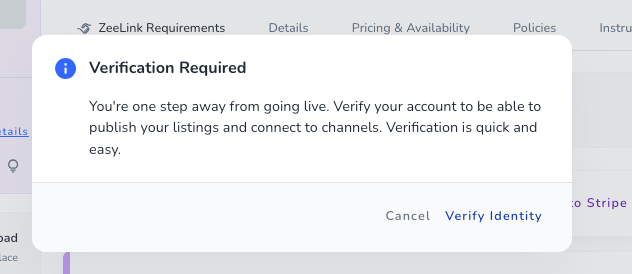
Select Verify Identity to continue or Cancel to return.
Zeevou then redirects you to your existing Didit verification session or creates a new one if needed. Follow the instructions in Didit to complete your verification.
Once you complete the verification process in Didit, Didit sends the verification result to Zeevou through a webhook. Zeevou processes the result and updates your identity verification status.
Depending on the state of your verification, you may see one of the following statuses:
Not Started
You have not started the identity verification process yet.
In Progress
Your identity verification process has started and is currently in progress.
Awaiting User
Your verification requires an action from you. Follow the instructions provided by Didit to continue or complete the verification process.
In Review
Your verification has been submitted and is currently being reviewed. Actions that require identity verification remain unavailable until the review is completed.
Resubmitted
Your verification information has been resubmitted and is being processed again.
Approved
Your identity has been successfully verified. You can continue your onboarding and perform actions that require identity verification, such as connecting channels, publishing listings, and going live.
Declined
Your identity verification was not successful. Actions that require identity verification remain unavailable until your verification status is reset by the Zeevou Support team.
Expired
Your verification session has expired. You may need to start the verification process again.
Abandoned
The verification process was abandoned before it was completed. You may need to restart the verification process.
KYC Expired
Your KYC verification has expired and may need to be completed again before you can perform actions that require identity verification.
Once your identity has been successfully verified, you are able to launch your direct booking website.
