Zeevou creates an SEO-friendly website with all the technical tools you need - metadata fields, Open Graph tags for social sharing, and a powerful booking engine. However, Zeevou is not responsible for marketing your properties. You'll need to create content and plan marketing strategies yourself. Zeevou streamlines publishing your content to help implement those strategies.
Zeevou offers three plans:
Growth
Ultimate: Direct Booking Starter - as part of this plan, you get a beautiful pre-designed template that you can customise and make it your own.
Enterprise: Direct Booking Pro - as part of this plan, you can access Zeevou’s drag & drop website builder and design a fully custom website to make your plan stand out.
Your Zeevou website is already live at [companyname].zeevou.direct with your properties listed.
To find the URL to your website:
Navigate to Websites on the main menu. On the top right of the card with your brand name, click the Three Dots → Go To Website.
Open a Listing on Zeevou. You’ll find the link on the top left of the listing page, just under the image.
Note: If you have multiple units grouped under one Listing, there will only be one link for all of them. The individual Units are not bookable, rather the Unit Types they are grouped under show on the website as Accommodation Options within the one Listing Page.
Select the option that best fits your situation:
Best for: Properties starting fresh or ready to migrate completely to Zeevou
Zeevou allows you to whitelabel your website with your own domain. If you do not wish to invest in a your own domain name, you can keep the current Free Zeevou subdomain as your URL.
Continue with Custom Domain
Set up your custom domain (e.g., yourbrand.com)
Preserve your existing SEO rankings (if migrating from another site)
Customise your website design and content
Configure your booking process
Ready to get started?
Continue to Setting Up Your Custom Domain →
Continue with Free Subdomain
Use your Zeevou subdomain (yourcompany.zeevou.direct) whilst you customise your website. You can always set up a custom domain later.
Ready to get started?
Skip to Website Customisation →
Best for: Properties with an established website who want to add Zeevou's booking engine
You can keep your current website and add Zeevou's powerful booking engine through an embedded widget. This creates a seamless booking experience without replacing your entire website.
Note: Single properties don't have the "Where are you going?" field on their booking widget.
Your Domain Options
You can use either:
Zeevou subdomain: yourcompany.zeevou.direct(no additional setup required)
Custom subdomain: bookings.yourdomain.com (requires DNS configuration) → Follow this guide.
How It Works
Once you have decided whether to use a Zeevou or custom subdomain for your booking engine, click here to start linking the Zeevou booking engine to your existing website.
A Custom Domain is a special address you can choose for your website, making its name easy to remember.
⚠ Critical if migrating from another website:
Before changing your domain, you must set up URL redirects to preserve your SEO rankings. When you move from another website to Zeevou, this feature enables you to preserve your SEO ranking whilst enjoying access to Zeevou's perfect booking engine and the rest of the features included in our free direct booking websites.
What happens without redirects: Search engines see your old URLs as broken links, damaging your search rankings and losing traffic.
What you need to do: Set up redirects in Zeevou that tell search engines where your content moved (e.g., redirect oldsite.com/rooms/sea-view to newdomain.com/properties/sea-view-apartment).
Find out How to set up Redirects
Follow the steps below to set up a Custom Domain:
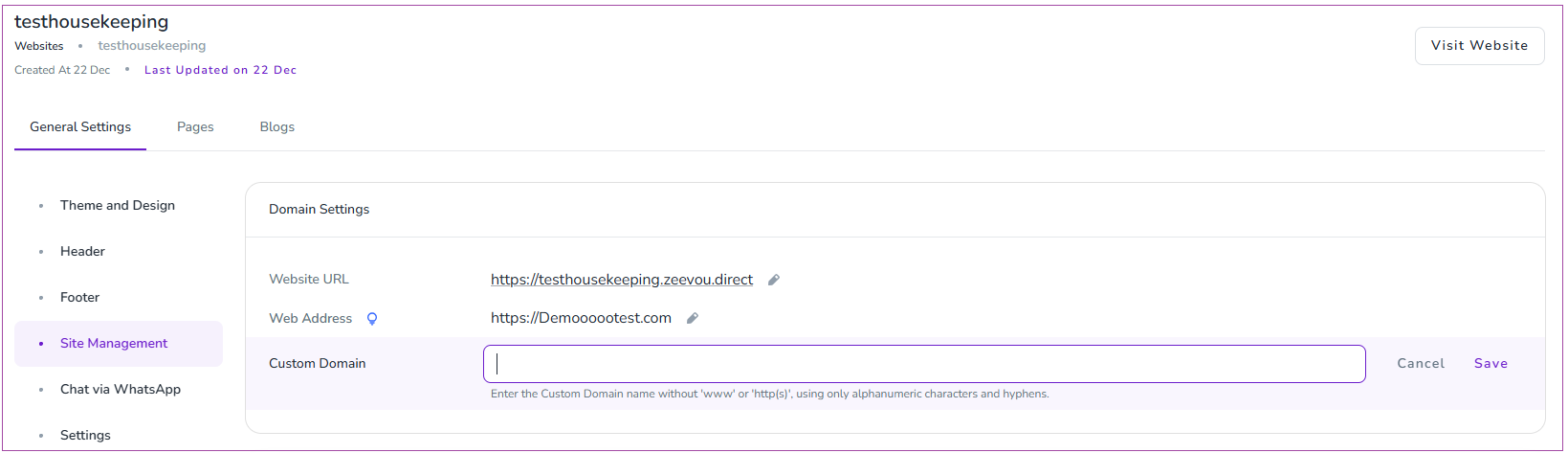
Go to Websites -> Website Settings -> General Settings.
Open the Site Management tab.
Locate the Domain Settings card.
Click Set Custom Domain.
Insert your desired domain address (without “www” or “http(s)”) and click Save.
Log in to your current domain provider (eg GoDaddy, Wix, etc) and navigate to Domain Management/Settings/Manage DNS Records.
You need to delete all the old and irrelevant domains and records, then add A Records pointing to Zeevou's IP address:
IP Address: 35.238.139.8
#### Instructions:
Log in to your domain registrar’s DNS management section.
Locate any existing A Records for the domain you are setting up (e.g., @ or www). If these already point to another IP address, delete them or edit them to point to 35.238.139.8.
Add the following A Records:
For the main domain (e.g., mydomain.com):
Host/Name: @
Value/Points to: 35.238.139.8
Set the TTL to the lowest time available, usually 30 minutes.
For the www version (e.g., www.mydomain.com):
Host/Name: www
Value/Points to: 35.238.139.8 (If using Wix, you need to type your domain name here rather than setting the IP address.
Set the TTL to the lowest time available, usually 30 minutes.
Note: If you only want to use a subdomain (e.g., bookings.mydomain.com), add an A Record for the subdomain:
Host/Name: bookings
Value/Points to: 35.238.139.8
There is no need to add an A Record for www.bookings.mydomain.com.
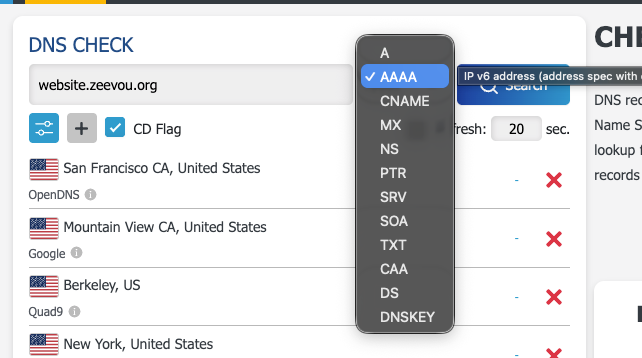
DNS changes can take up to 48-72 hours to fully propagate. To confirm that your changes have been applied successfully:
Open [https://dnschecker.org/](https://dnschecker.org/).
Enter your domain name.
Select A from the record type dropdown menu.
Click Search.
Verify that the results show 35.238.139.8 for your domain.
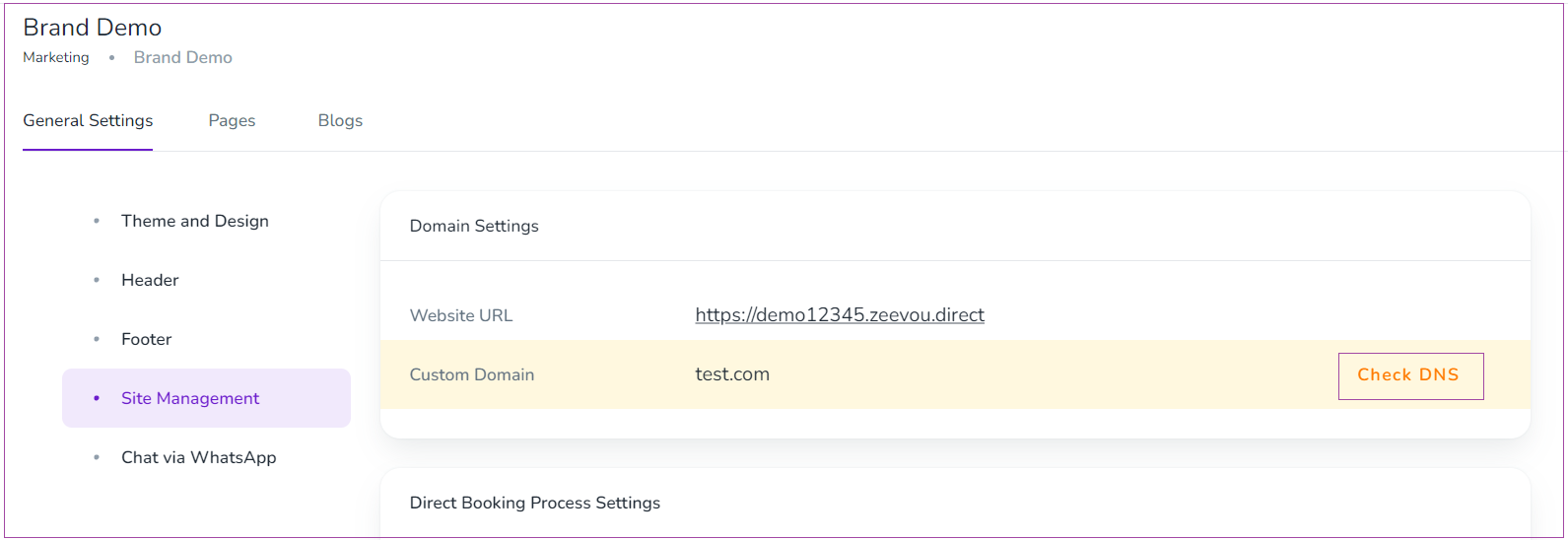
To ensure the domain is pointed correctly, you should click the "Check DNS" button in Zeevou to complete the process.
Note that after the A record section, the AAAA record must be empty
Additional Notes:
Ensure that any existing A Records conflicting with Zeevou’s IP are removed or updated.
For assistance in adding or modifying A Records, please contact your domain registrar.
By following these steps, you can successfully point your Custom Domain to Zeevou’s servers, ensuring a seamless booking experience for your guests.
Step 5: Check DNS Status
After saving the domain, the system will display the Check DNS Status. This indicates that further steps are required to point your domain to Zeevou.
You can connect your Wix or other non-WordPress website to Zeevou using an iFrame. To find the iFrame, go to Websites -> Website Settings -> Site Management -> Search Widget card, then copy the iFrame and paste it into your Wix site.
Note that you can also copy the URL of a property page on the Zeevou website and add it as a button on your own website. This will allow people to click "Check Availability" on your Wix website.
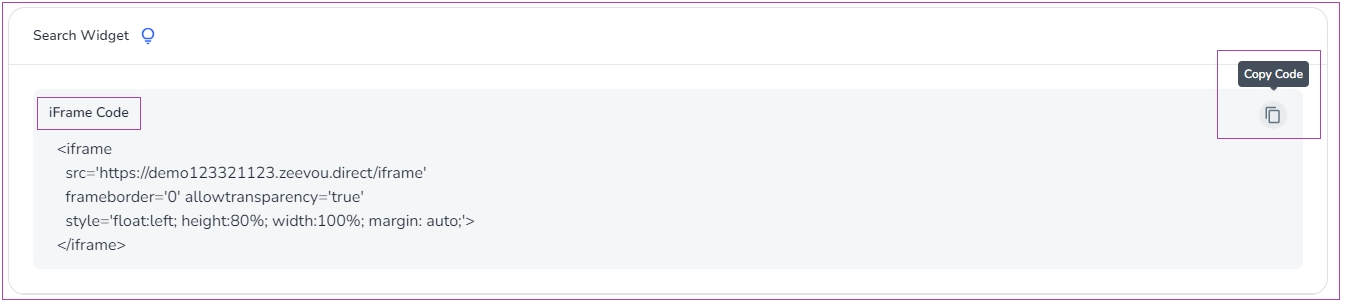
You can visit the Wix support page to get further information on how to imbed the iFrame in your website if you are using a Wix website.
If you have an existing WordPress website that you would like to continue using, you can use a WordPress Plugin to enable your guests to reserve a booking on your own WordPress website. To do so, follow the instructions below:
Step 1: Go to Plugin settings and click on Add New.
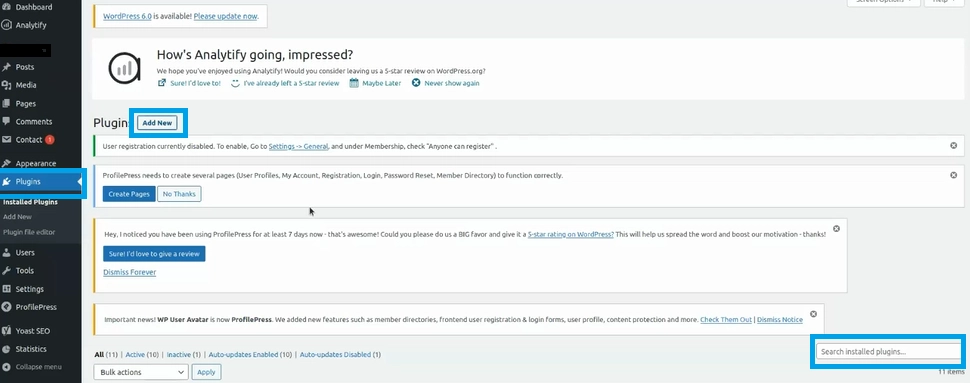
Note: You can search for Zeevou on the bottom right corner of the page.
Step 2: Click Install and then Activate button.
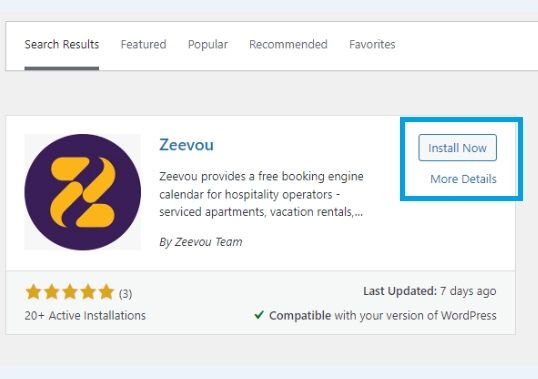
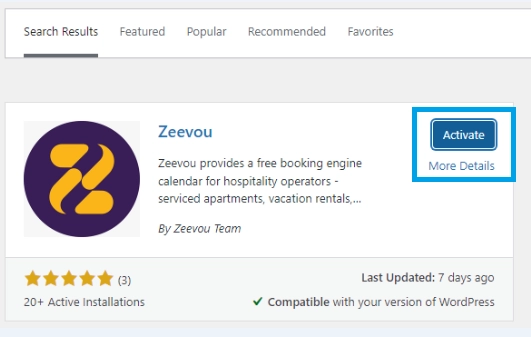
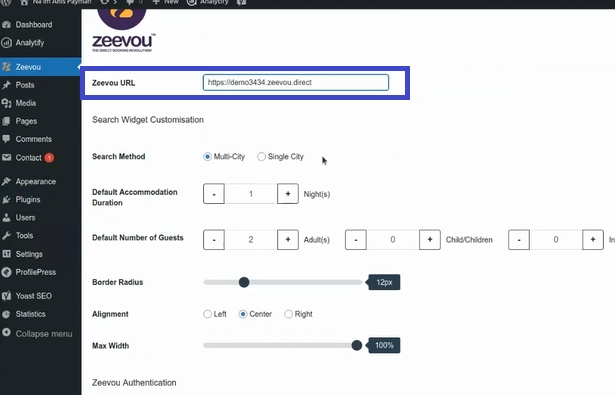
Step 3: When the Zeevou Plugin is installed, it appears on the left column. When you click it, a page opens in which you should insert your Zeevou website URL and Zeevou’s Username and Password and click Connect.
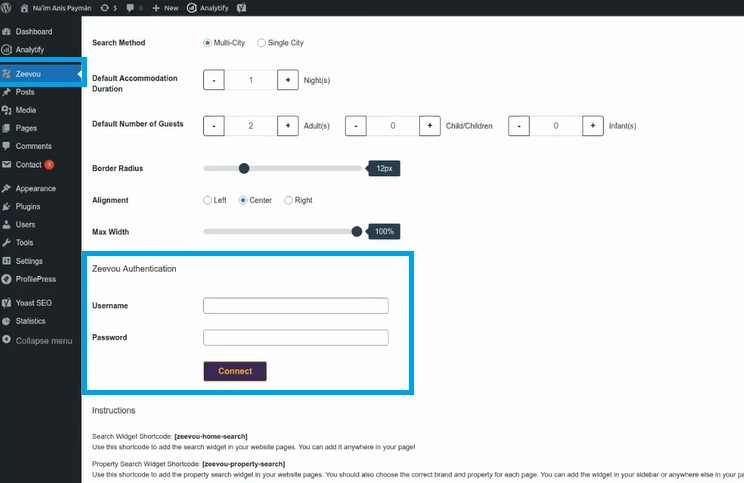
Step 4: When Zeevou is Connected, go to Instructions to select the desired Widget Shortcodes to be shown on your website (property) page and click Save Changes.
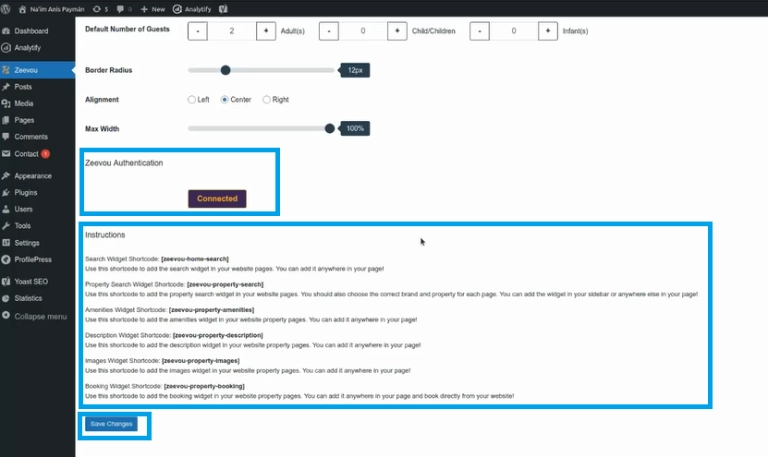
Note: When Search Widget Shortcode is set, the guest will be redirected to Zeevou website for booking. However, when Property Search Widget Shortcode is set, the guest can reserve a booking on your own site as well.
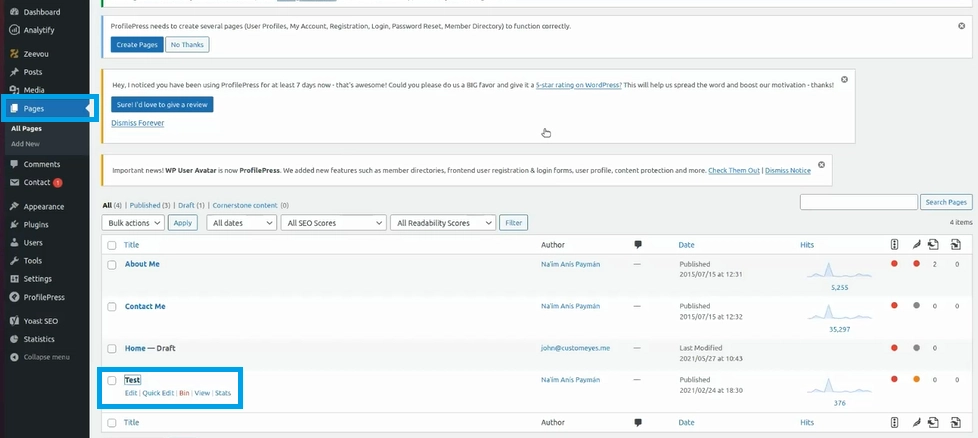
Step 5: Then, click Pages to see the list of your property pages and choose one of them to be updated.
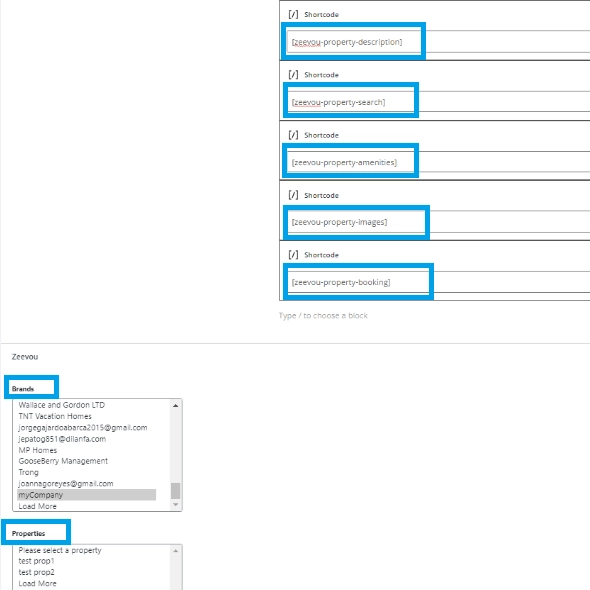
Step 6: When the property page opens, you can select from the Brands and Properties lists on the right drop-down and then specify the desired Widget Shortcodes.
Step 7: Click Update on the top right corner to see the changes on your Plugin page, as shown below.
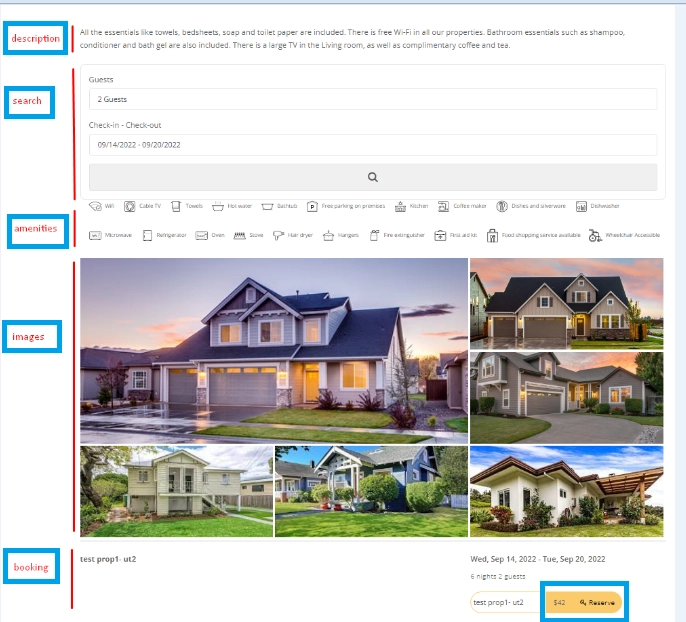
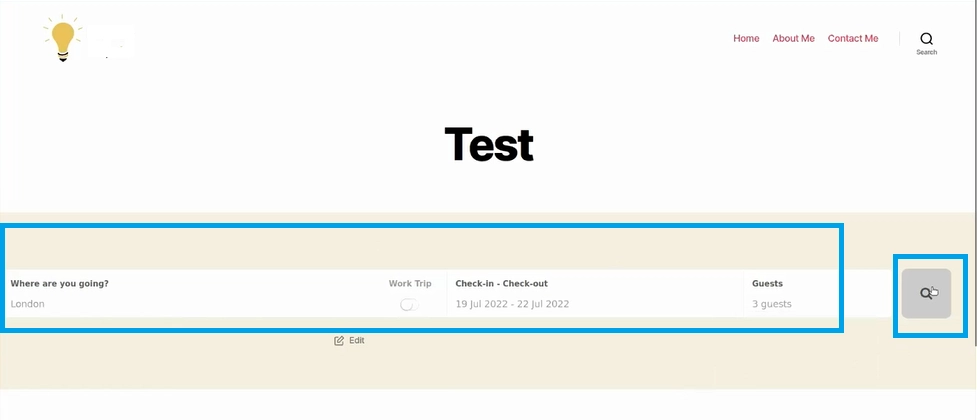
Note: For homepage, you should just put the home search widget shortcode. This works if you want your guests to reserve a booking from your website’s homepage by clicking the Search button.
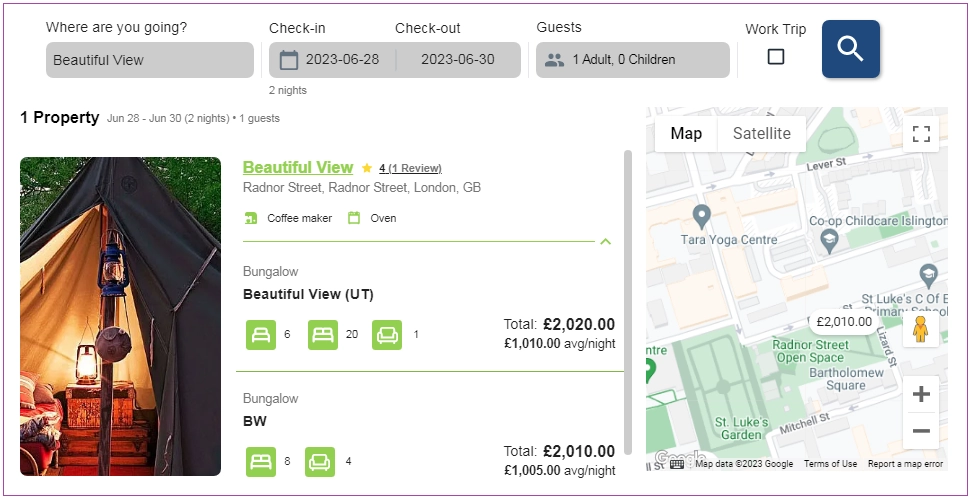
Your guests will then be redirected to the search result page of your Zeevou website:
Get Webready integration with Zeevou in just 3 simple steps!
Signing Up to Webready
In order to Sign Up to Webready, follow these steps:
Step 1: Enter your name, email and password or sign up using your Google or Facebook accounts.
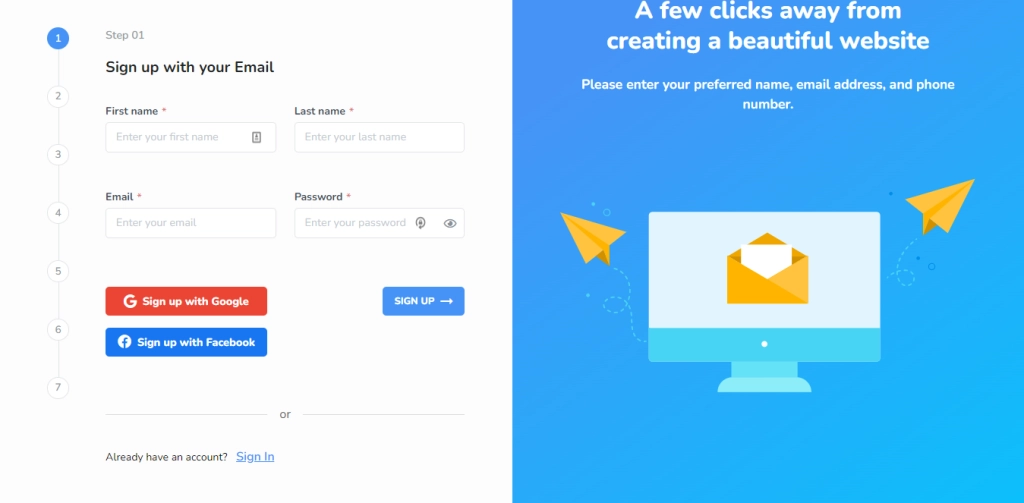
Get the most out of your business with Webready and Zeevou Integration
Step 2: Select Zeevou from the list of PMS options available.
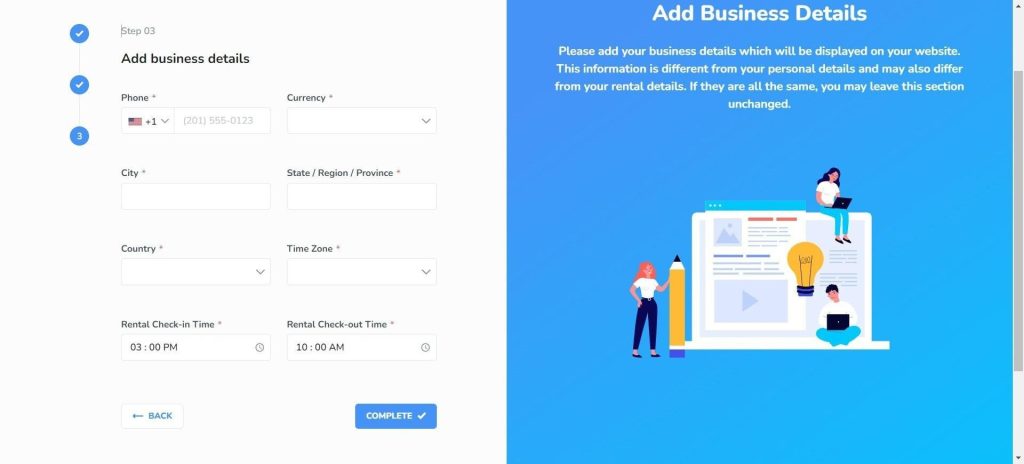
Step 3: Enter your business details and click the Complete button.
Confirm the verification of your email address.
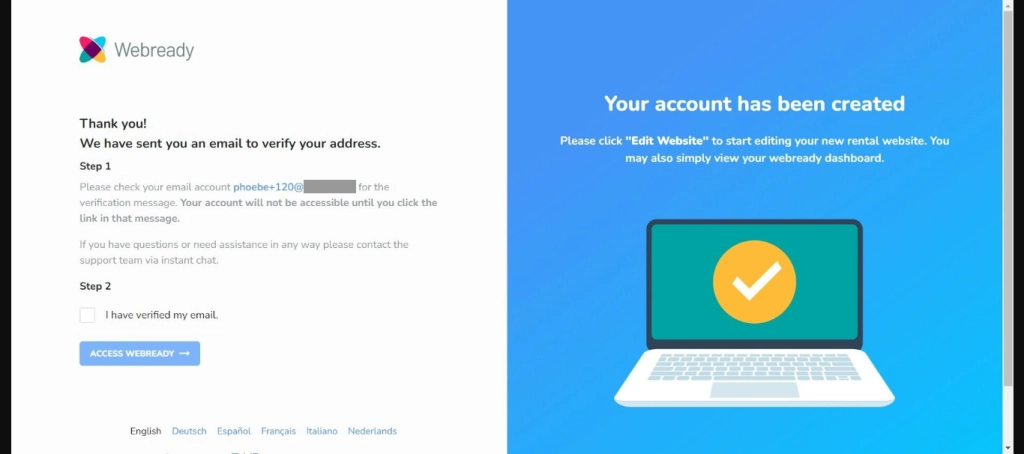
You should get a verification email to your email address, click on the Verify your Email button. You will be redirected to the login page for Webready after clicking the button.
Once logged in, a pop-up will appear directing you to connect to Zeevou–it will take you to the Integrations page in Webready to proceed.
Connecting Zeevou to Webready
To connect with Zeevou, follow the steps below:
1. In Webready, navigate to the Integrations tab on the left panel.
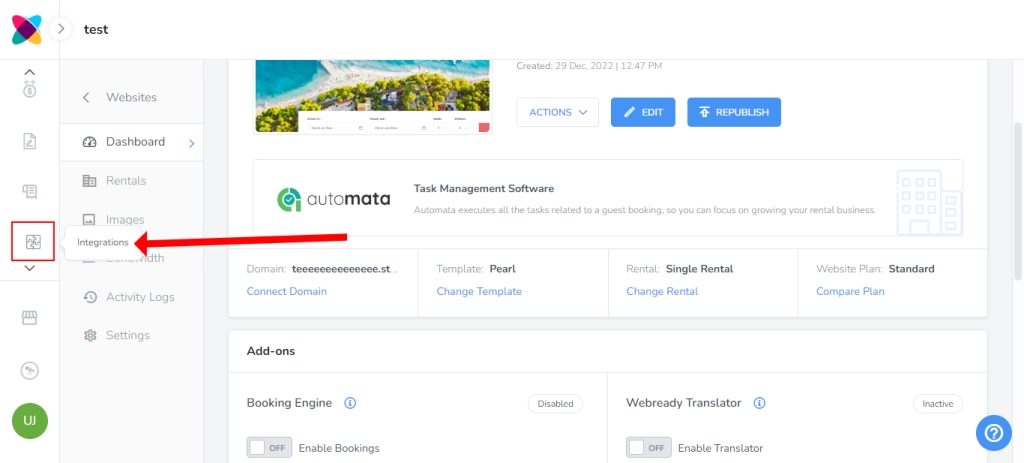
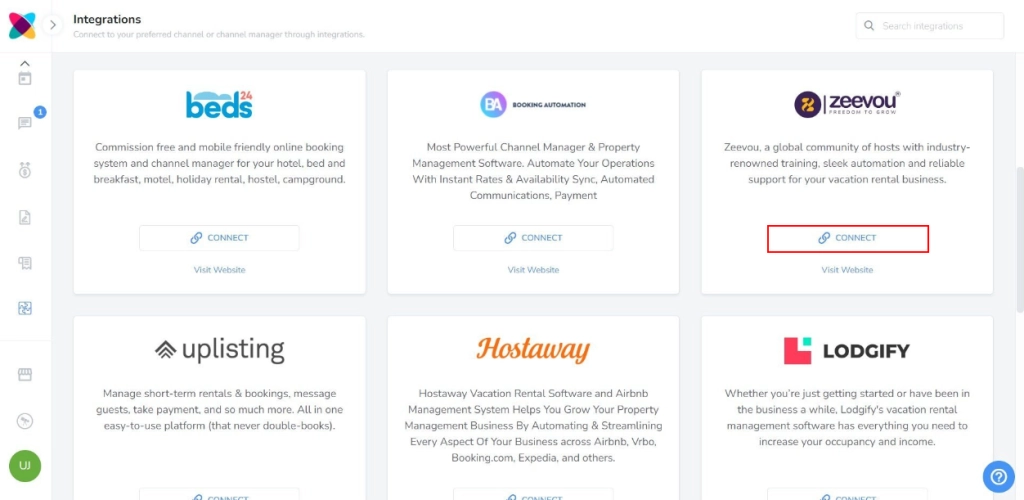
2. On the Integrations page, locate Zeevou and click the Connect button.
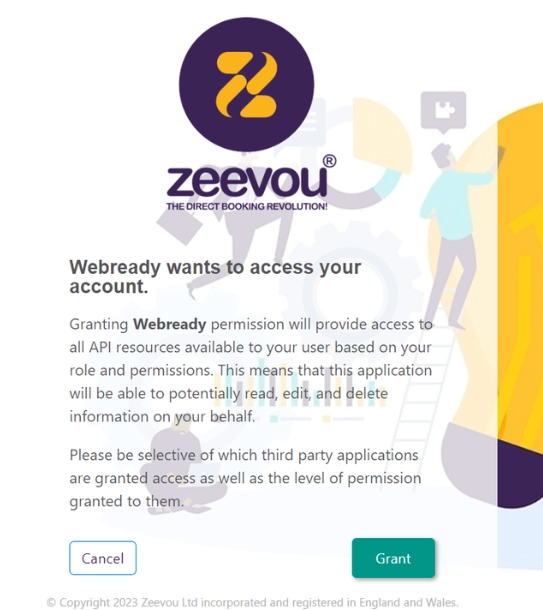
3. Now click Grant to connect Zeevou with Webready. Make sure you have already logged in to Zeevou in a separate tab.
4. Once you are connected to Zeevou, you can view your Zeevou rentals or disconnect Webready from Zeevou.
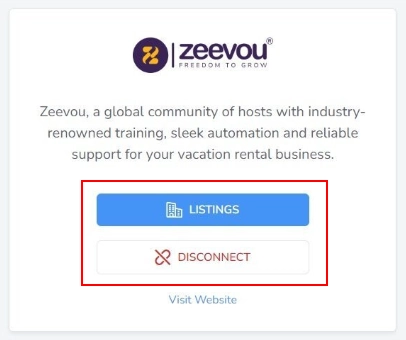
5. To view the Zeevou properties, click the Listings button.
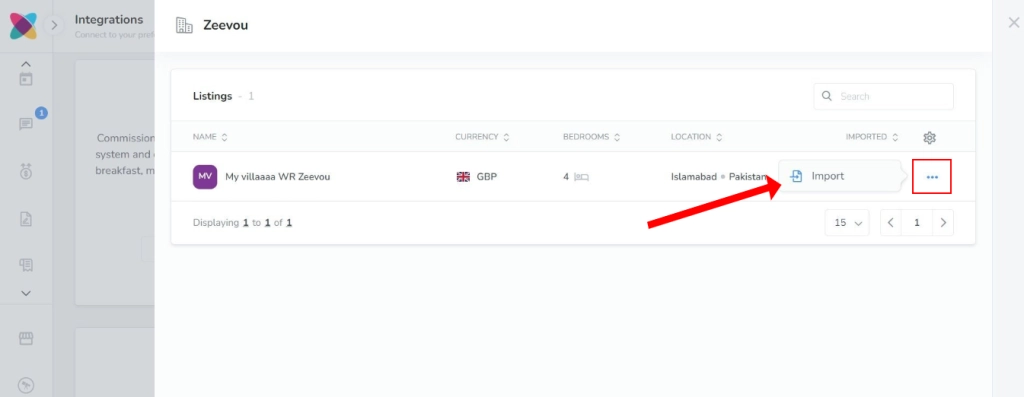
6. All listings from Zeevou will be displayed, but to import the property into Webready, click the Actions icon on the right, and then on Import.
Importing your property will bring the Rooms of that property into Webready and automatically import the availability so your calendar in Webready will be blocked accordingly.
7. Select whether you would also like your Zeevou daily prices to be imported along with the listing into Webready.
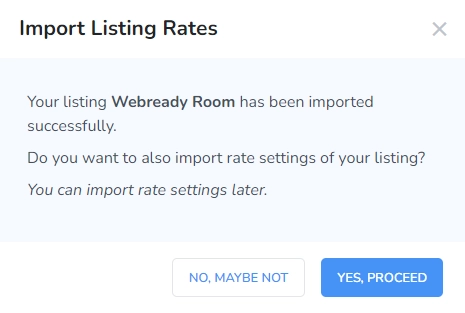
Note: If you select No and then want to import daily prices later, go to Rates in Webready, click the rental, then the Add button and Import Rates.
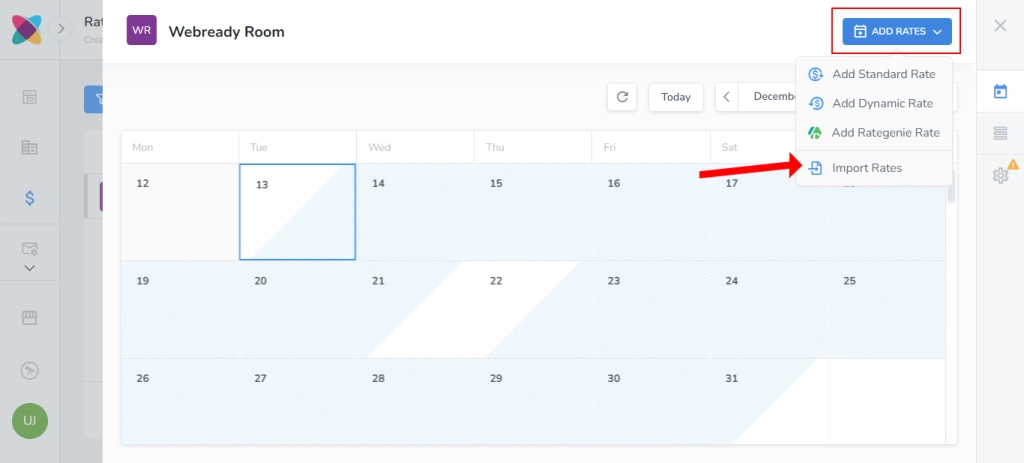
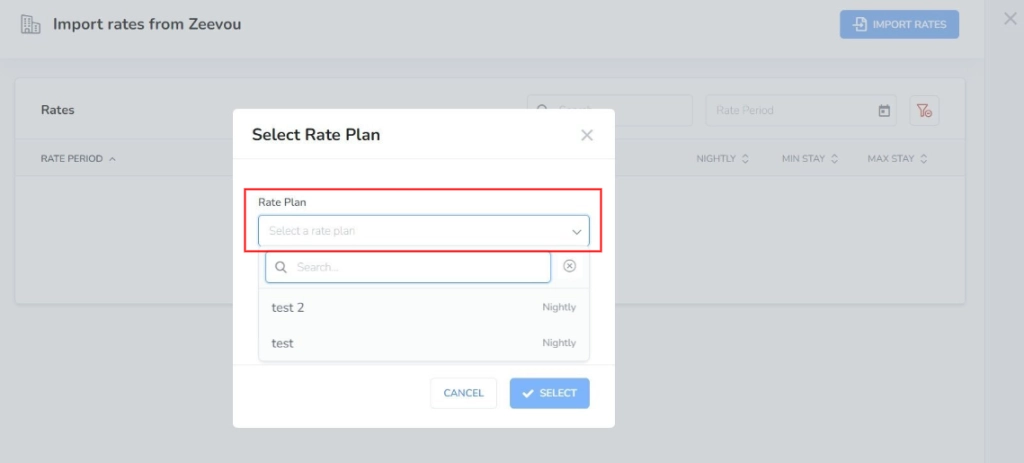
8. Select your Zeevou Rate Plan to be imported into Webready.
You will then see the list of daily prices, view them and then click Import Rates.
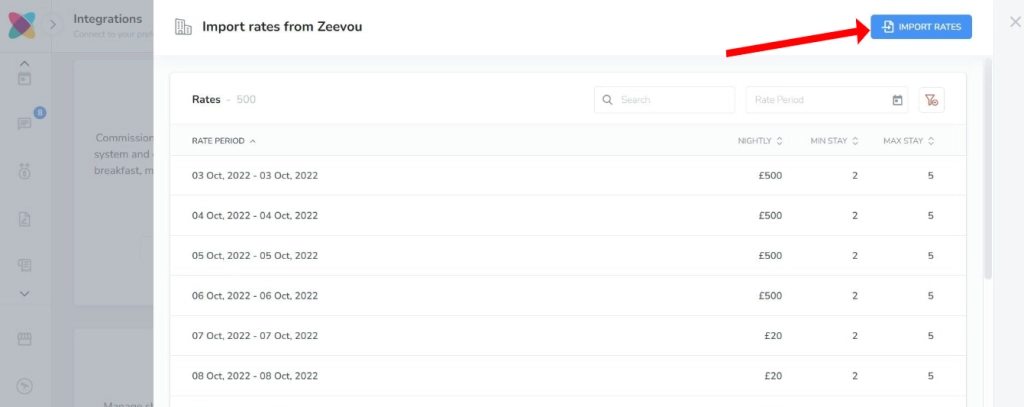
prices will be visible on the Rates Table tab in Webready.
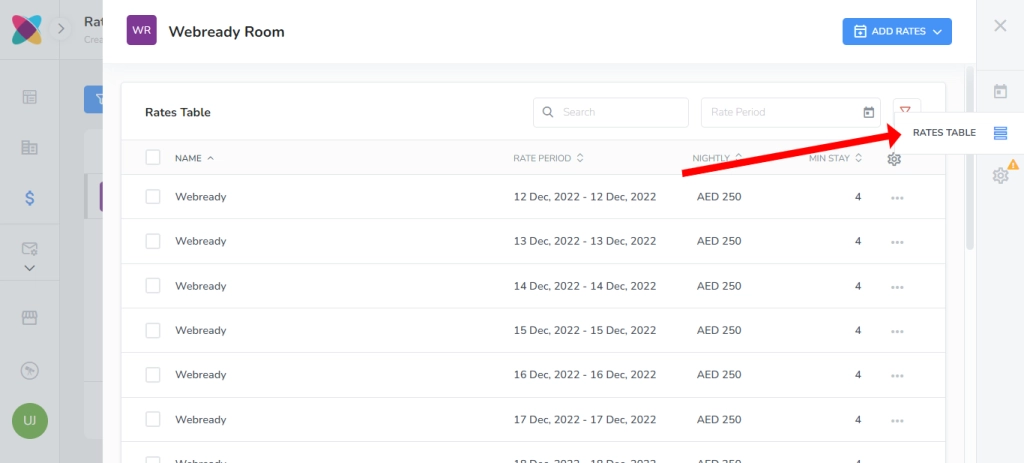
Note 1: If you have updated your daily prices in Zeevou, you will need to re-import rates using the steps above.
If you wish to create daily prices in Webready instead, follow the steps in this article.
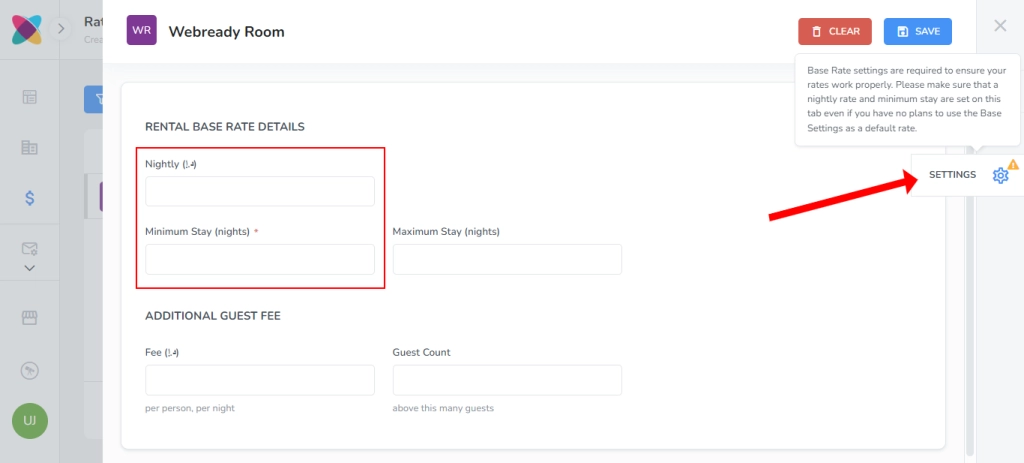
Note 2: Be sure to also fill in a nightly rate and minimum night stay value on the Settings tab for your rental's rate.
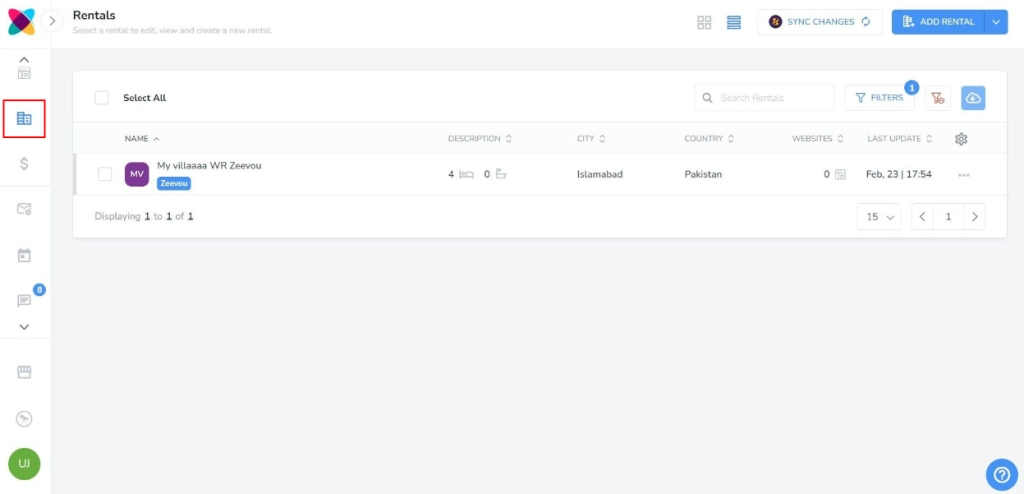
9. Your imported rooms will be visible by clicking on the Rentals tab navigation bar on the left:
Once you have imported the listings along with their availability and imported or created daily prices, you can create your website using your Zeevou properties.
Syncing Rental Changes
After changing your listings on Zeevou, you can sync some of these changes to Webready, to avoid having to repeat the same updates in Webready.
There will be indicators when there are updates available for rentals:
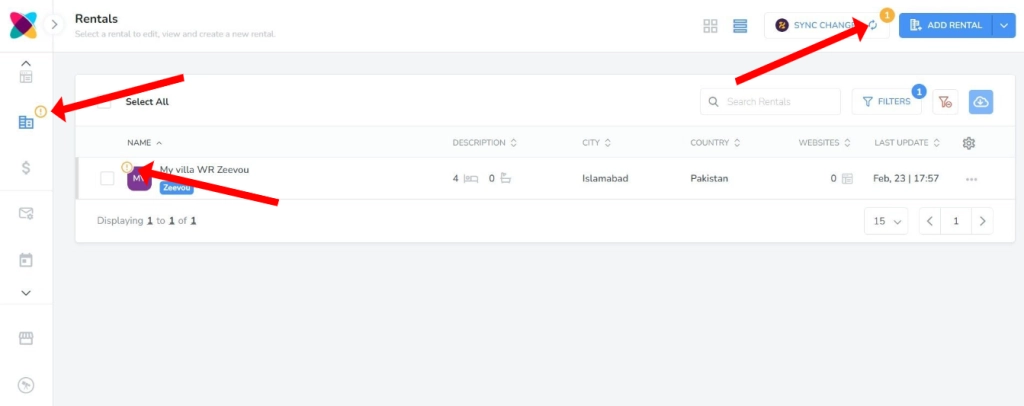
To sync the rental changes, navigate to the Rentals section in Webready and click Sync Changes.
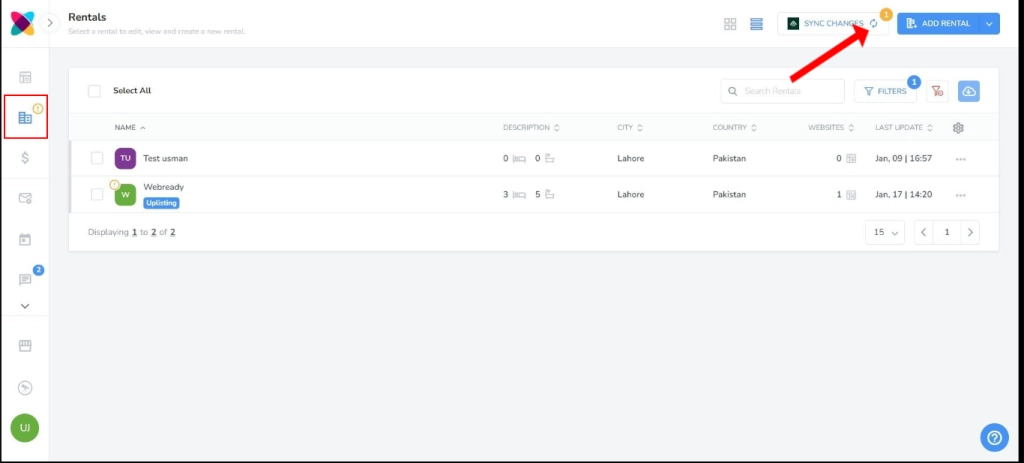
The rental details that will be updated in Webready include:
Name
Address
Currency
Bedrooms
Bathrooms
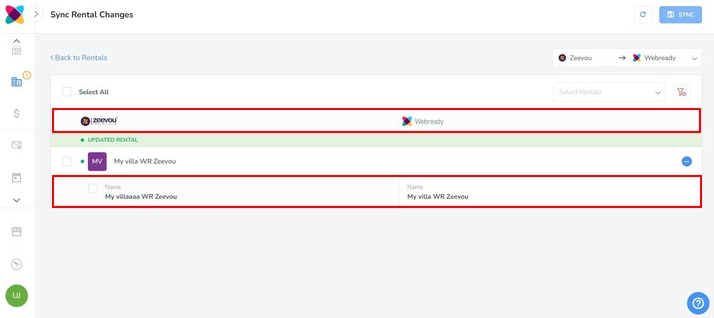
After clicking the button, you will see columns showing the updates that were made to the rental in Zeevou compared to what is saved in Webready.
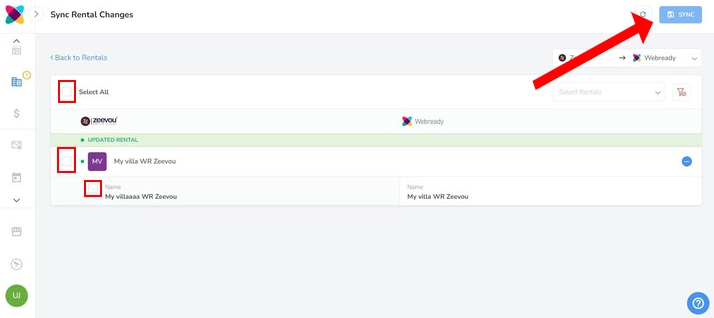
Disconnecting from Webready
To disconnect Zeevou from Webready, click on the Integrations tab in the left panel, locate Zeevou and click Disconnect.
