We want to make sure you have the guidance and assistance you need to get the most out of the platform. You can choose between self-service resources, assistance from Zee AI, guided onboarding with a Zeevou specialist and ongoing customer support.
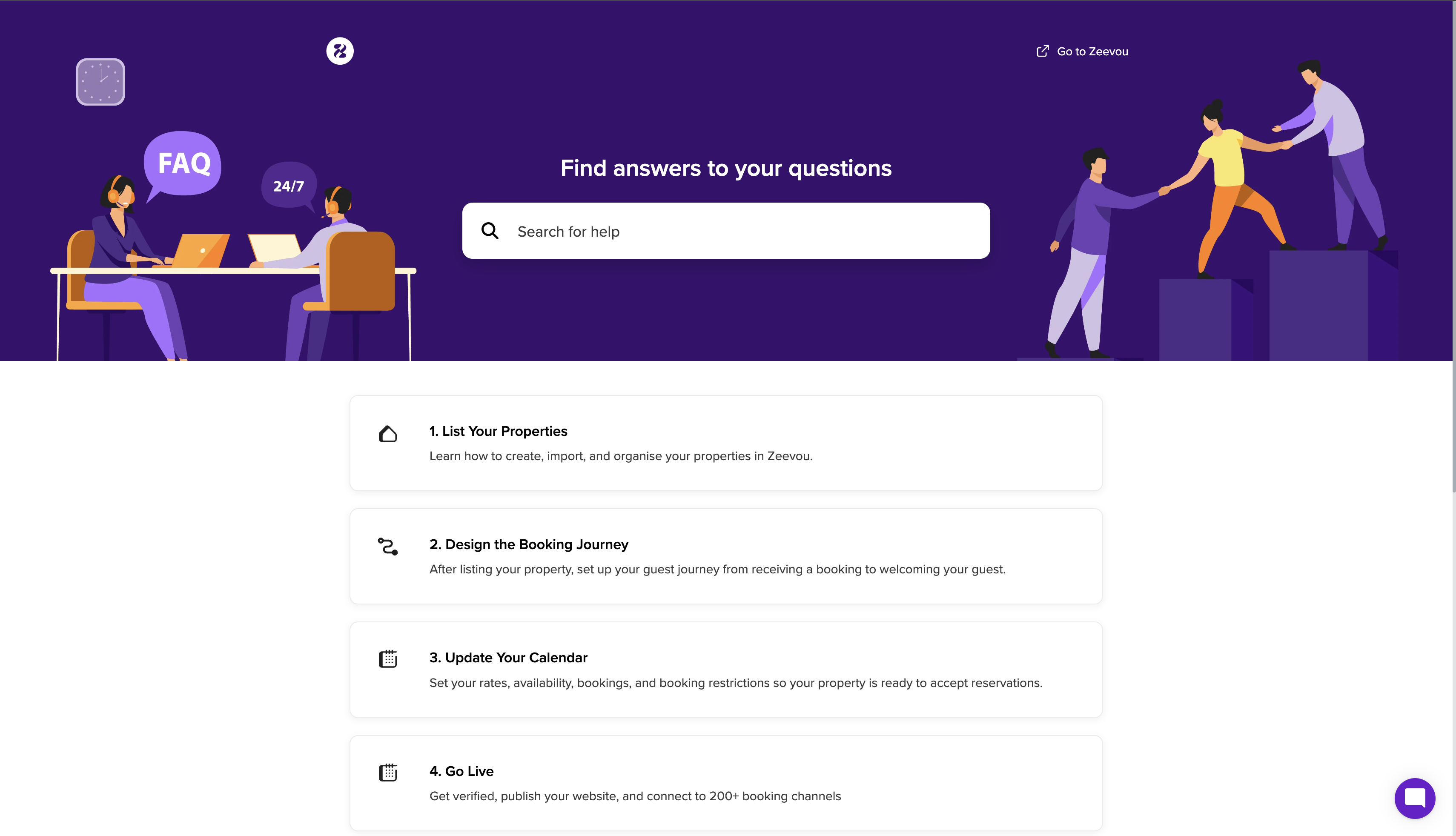
The Zeevou Help Centre is your first destination for learning how to use the platform and completing your account setup.
Visit support.zeevou.com to access our articles, step-by-step instructions, screenshots and video tutorials.
If you're new to Zeevou, we recommend following the onboarding guides in the recommended order:
List Your Properties – Learn how to add, import and organise your properties.
Design the Booking Journey – Configure the guest experience, including online check-in, payments and guest communication.
Update Your Calendar – Set up your rates, availability, bookings and booking restrictions.
Go Live – Complete the remaining checks and prepare your account to receive bookings.
Following the guides in sequence will help you complete the essential configuration steps and reduce the risk of setup issues, including incorrect availability and double bookings.
You can bookmark the Help Centre for quick access whenever you need instructions.
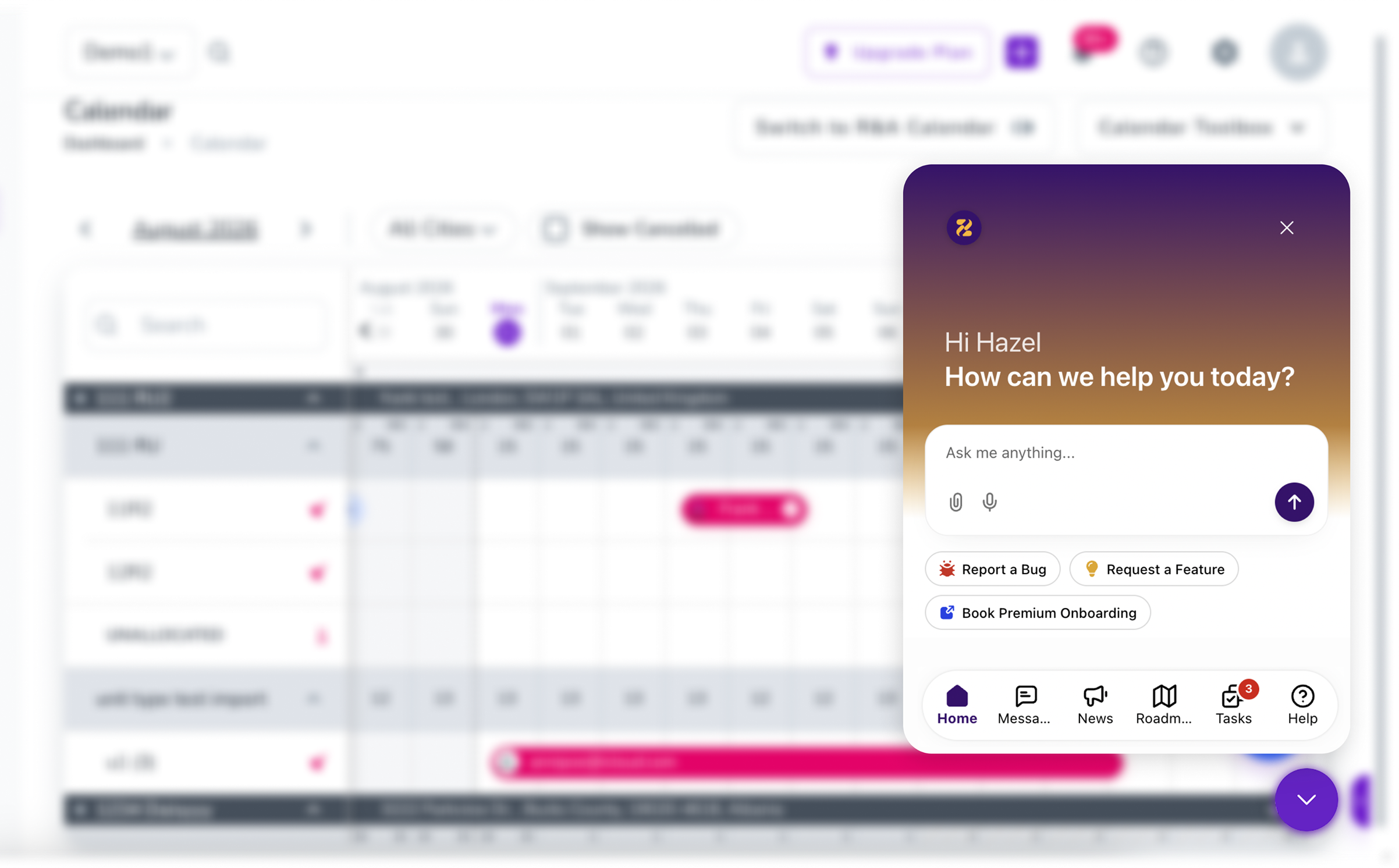
Zee is Zeevou's AI Assistant, available through the in-app live chat. You can use Zee to find information, navigate the Help Centre and get assistance with questions about using the platform.
Log in to your Zeevou account.
Locate the purple chat icon in the bottom-right corner of your screen.
Select the icon to open the chat.
Describe your question or issue in as much detail as possible.
Follow the instructions and suggestions provided by Zee.
If Zee's response does not resolve your question:
Explain what you have already tried.
Clarify which part of the instructions did not work.
Describe what you expected to happen and what happened instead.
Ask for further assistance.
If Zee cannot resolve your issue, your conversation can be escalated to a member of the Zeevou support team.
Providing clear information from the beginning helps us understand your situation and investigate more efficiently.
Can't See the Chat Icon?
If the chat window is hidden, select the purple show/hide icon in the bottom-right corner of your screen to open it.
Prefer personalised assistance when setting up your account? Zeevou offers paid guided onboarding sessions with a Zeevou specialist.
Self-onboarding is free, and you can use our Help Centre and tutorials to complete your setup independently. Guided onboarding is available if you would prefer additional one-to-one assistance.
Depending on your requirements, your onboarding sessions can cover topics such as:
Importing and organising your property listings.
Configuring your booking journey.
Connecting booking channels and mapping your listings.
Setting up rates, availability and calendar restrictions.
Reviewing pricing rules and operational settings.
Configuring your direct booking website.
Placing a test booking and checking your setup before going live.
The number of sessions you need will depend on your portfolio, setup requirements and familiarity with the platform. You can also enquire about additional sessions if you need further assistance.
If you have a question or encounter an issue while using Zeevou, you can contact our support team through the available support channels for your account.
If your issue requires human assistance, follow the escalation process in the conversation.
Should you ever need to contact us by email, you can do so by emailing [email protected].
When contacting support, include as much relevant information as possible:
Your registered account email address.
A clear description of the issue.
The steps you followed before encountering the issue.
The expected result and what happened instead.
Relevant property names, booking references or dates.
Screenshots or screen recordings, where helpful.
Providing these details helps our team investigate your enquiry without unnecessary follow-up questions.
We currently do not offer phone support. Our phone line is purely for sales enquiries and our sales team cannot assist with support queries.
Now that you know how to get support whenever you need it, let's move on to setting up your listing defaults.
