Step 1: Go to Listings dashoard and open your desired listing.
Step 2: Click on Manage Channels on the top right.
Step 3: Click on Airbnb logo form the pool list.
Step 4: Click on Map Rate Plan.
Step 5: Click on three dots and select the Edit sign.
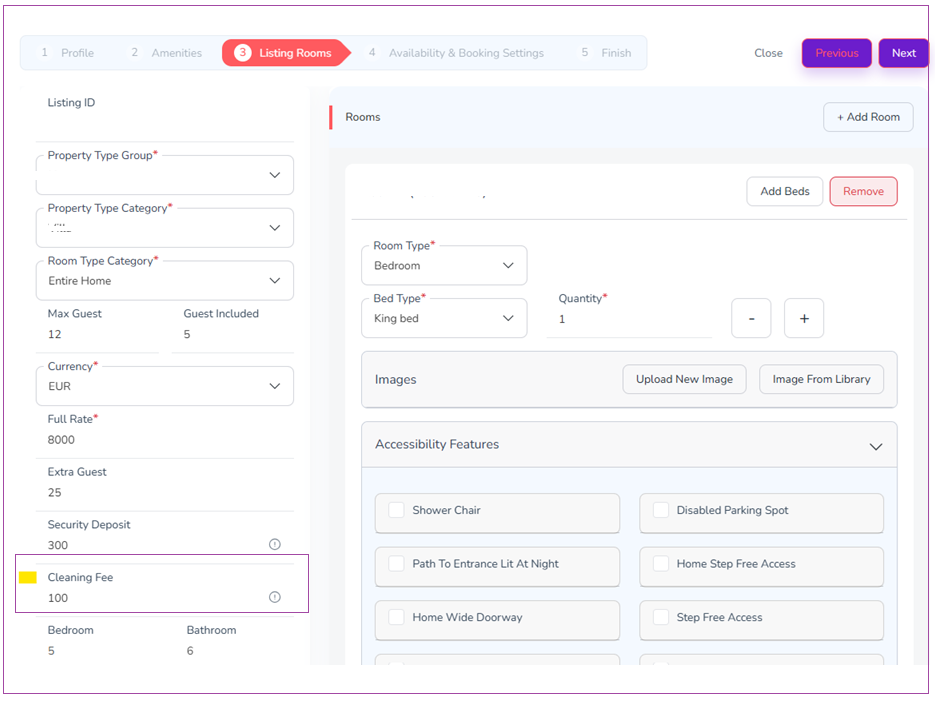
Step 6: In the Mapping Wizard, click Next until you reach Step 3: Listing Rooms.
Step 7: Edit the cleaning fee and click Next twice.