Apex Alpha is an AI and machine learning consultancy that builds custom, data-driven tools for hospitality businesses, helping hosts earn more per booking on their own direct booking website.
Once connected to Zeevou, your reservation and property data are synced to give Apex Alpha a clear view of your property occupancy. By combining this occupancy insight with real-time visitor behavior on your website, Apex Alpha ensures guests ready to book pay the full price, while only those about to leave receive a timely, targeted offer.
Follow these steps to connect your Zeevou account to Apex Alpha:
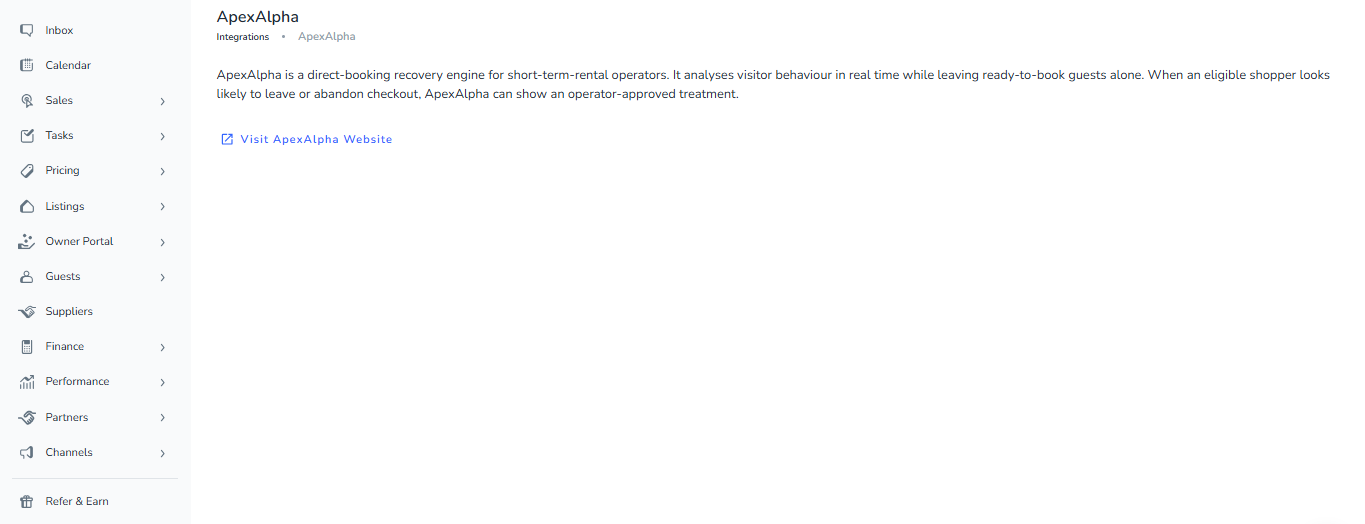
Go to Integrations in Zeevou.
Open Apex Alpha.
Click Visit ApexAlpha Website.
A new tab will open; log in to your Apex Alpha account.
If you manage multiple sites, select the desired site from the top bar.
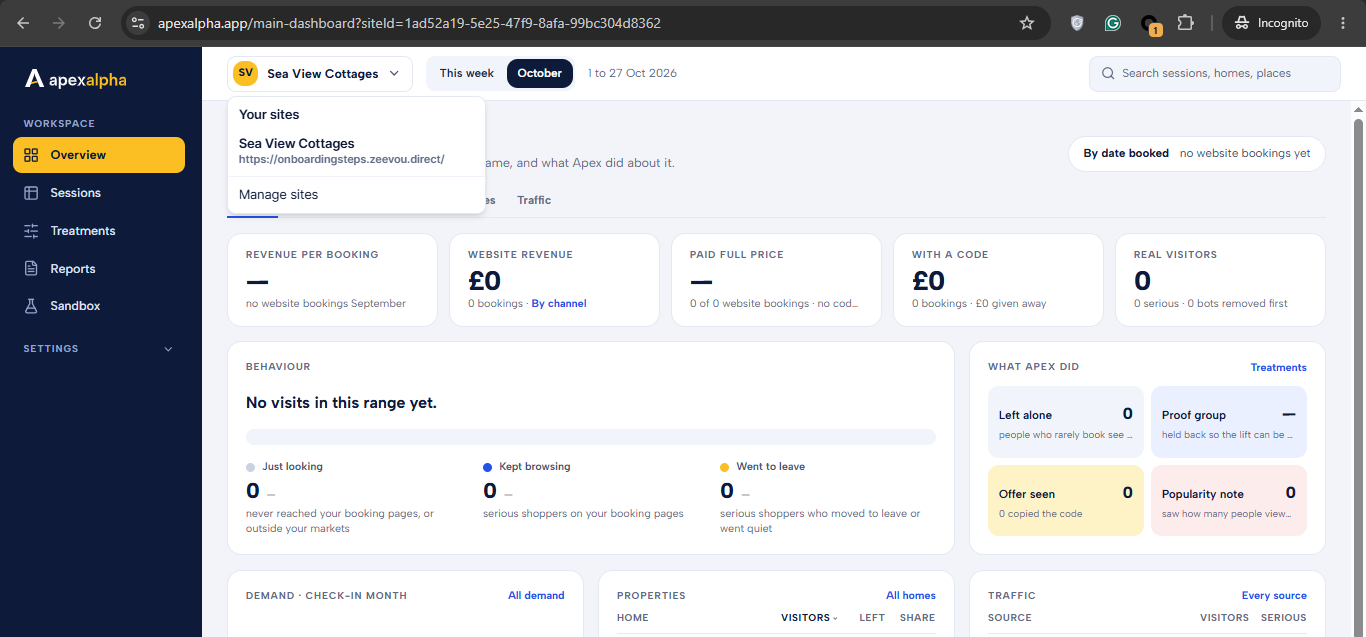
From the left menu, navigate to Integrations.
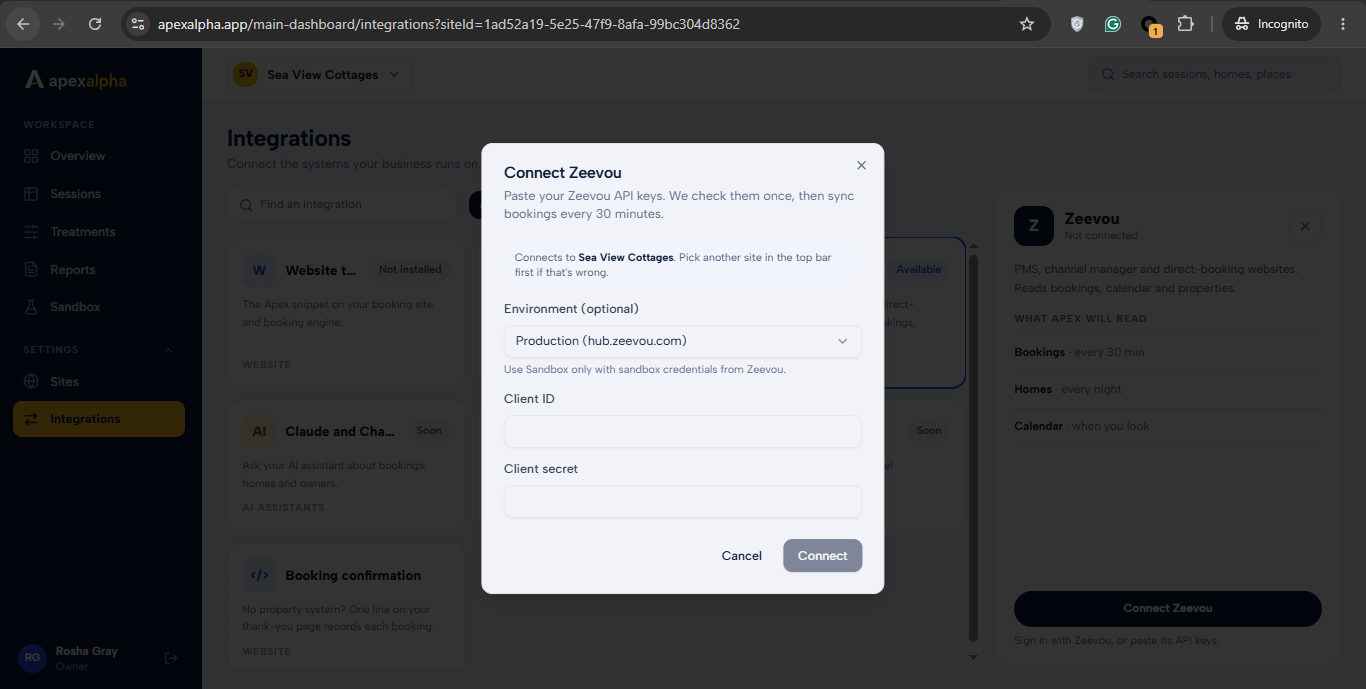
Locate the Zeevou card and click Connect Zeevou.
In the pop-up dialog, enter the Client ID and Client Secret of your Zeevou app, then click Connect.
Log in to your Zeevou account, review the requested access permissions, and click Allow access (or Approve) to authorize Apex Alpha.
Once redirected back to Apex Alpha, you will see a confirmation message indicating that Zeevou is connected. The Zeevou card will now display Connected, along with the last sync time and a Sync now button.
Once connected, Apex Alpha securely links to your Zeevou account to automatically sync your property and reservation data, enabling occupancy-aware pricing insights and targeted visitor offers to maximize your direct booking revenue.
