The ZeeLink allows eligible listings from verified hosts to be shared across the network, increasing their visibility and reach. Listings are automatically included once they meet specific requirements, but hosts remain in full control of their network visibility. This network is a shared ecosystem where listings from verified hosts can be made visible to the network. This helps promote eligible properties while ensuring that only complete and bookable listings are shared. For a full overview, visit https://zeevou.com/network.
To ensure your listings are shared with the ZeeLink network and made available to potential partners and guests, certain requirements must be met. This article outlines the conditions that listings must satisfy before they can be automatically shared with the ZeeLink network and explains how to identify any missing requirements that may prevent a listing from being shared.
A listing will be automatically shared on the ZeeLink only if all of the following conditions are met:
The organisation must connect a Stripe account to Zeevou. If no account is connected, this requirement will appear in the ZeeLink Network Requirements tab. Clicking it redirects the host to the Stripe integration page. Once connected, the requirement is automatically removed.
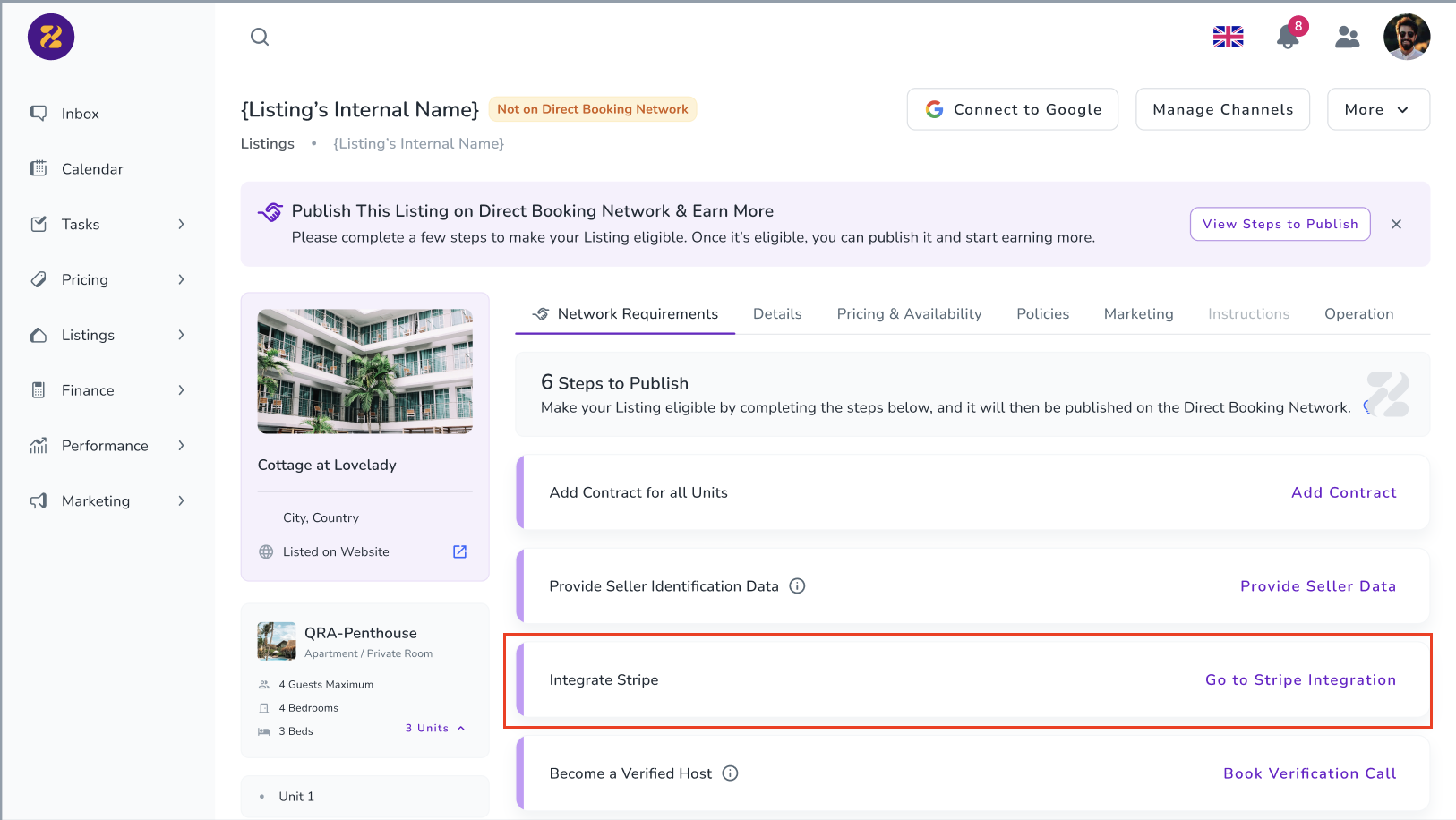
Seller identification data is required to comply with legal and tax reporting regulations such as EU DAC7.
The organisation’s identification data must always be provided.
Clicking Provide Seller Data opens a pop-up showing seller missing identification data.
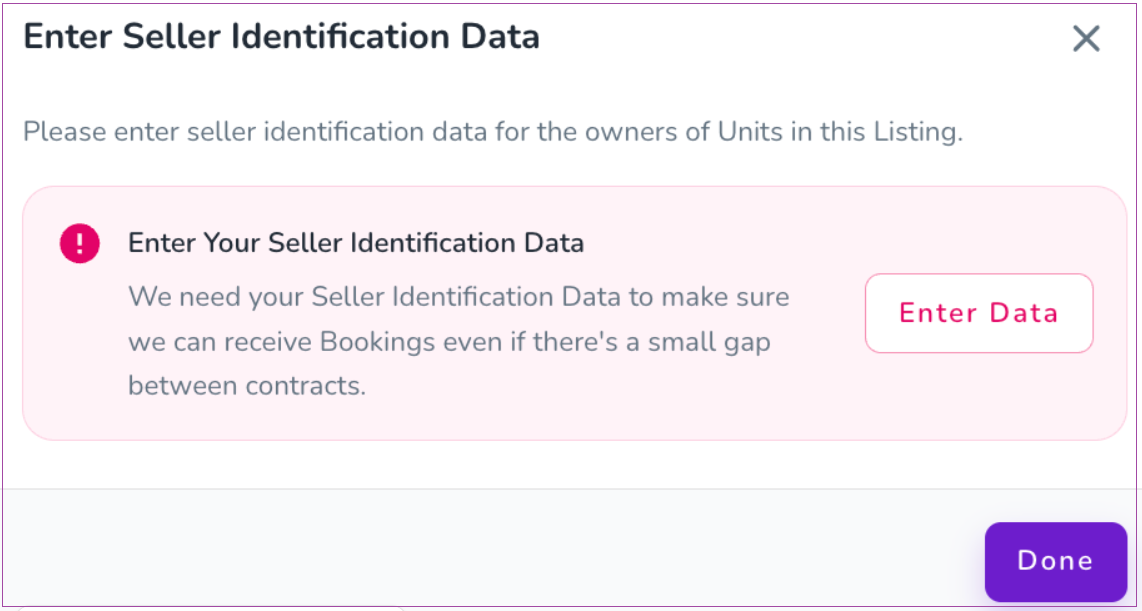
The host must specify whether the seller is an individual or a legal entity and provide the required information, such as:
Name or business name
Registered address
Tax Identification Number (TIN)
Country of tax residence
VAT numbers are optional. If a seller does not have a TIN or business registration number, they must select a reason.
Once entered, the requirement is automatically completed for all related listings linked to that seller.
Host Verification enables users to verify their identity before publishing listings and connecting to channels. To begin, click Manage Channels→ Verify Identity and confirm the action in the pop-up dialog. Then follow the on-screen instructions to complete the verification process. Once verified, you can publish your listings and connect them to supported channels.
Note: This feature is only available when Bank Transfer is enabled under Settings > Finance at the brand level.
The listing must have at least one rate plan applied to Direct Booking.
If no rate plans are applied, this requirement will appear in the ZeeLink Network Requirements tab. Clicking it opens a pop-up where the host can select and apply rate plans to Direct Booking.
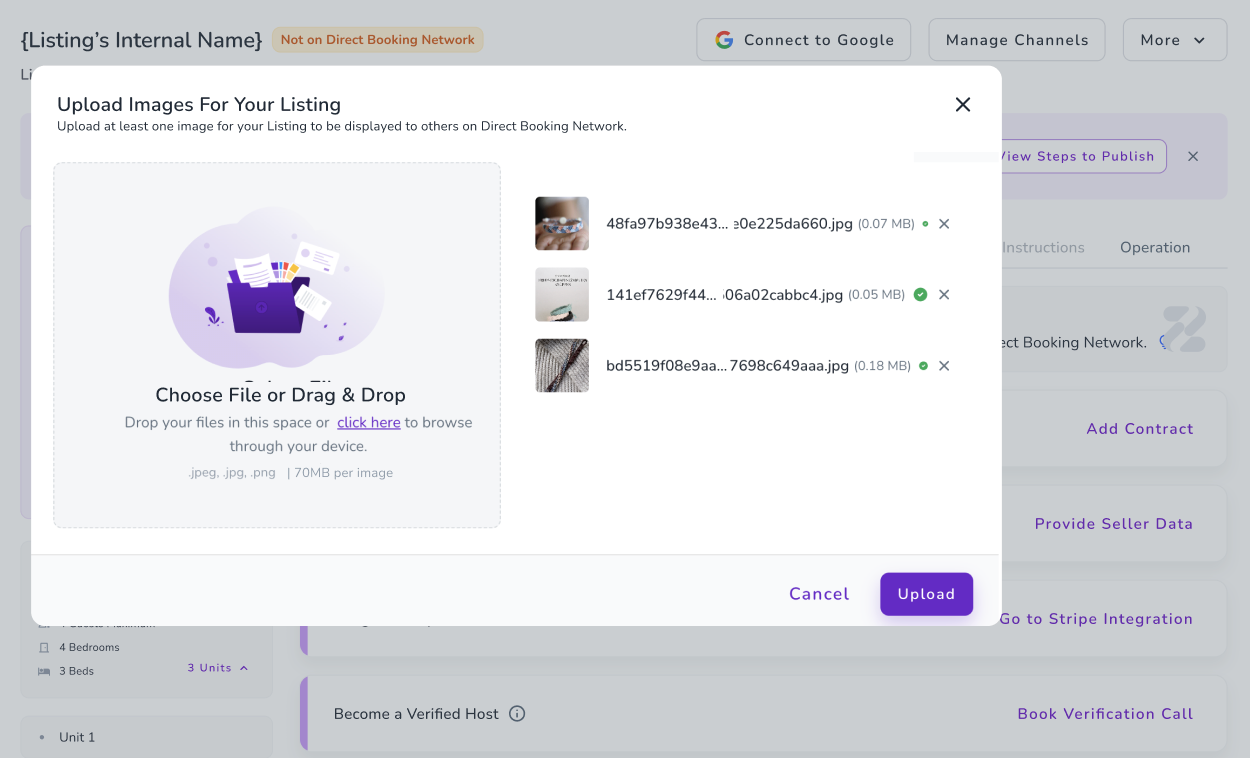
The listing must contain at least one image. If there are not enough images, this requirement will appear in the ZeeLink Network Requirements tab. Clicking it opens the image upload pop-up, where the host can upload images that are saved at the property level.
Once a listing is shared on the network, you will see a label that says “On ZeeLink”:
On the Listing Dashboard
On the individual Listing Page
Once you have published a listing on the Direct Booking Network, you can share the link to the listing/your Zeevou website on this WhatsApp Group Chat to inform other hosts and agents that they can advertis the listing on their websites.
You can manually hide a listing from the network at any time.
Go to the Listing Page.
Click More (action dropdown).
Select Network Visibility & Access.
In the drawer that opens, choose Hidden.
Once hidden, the listing will no longer appear on the ZeeLink.
If a listing does not have any rate plan applied to the direct booking website, its Network Visibility & Access will be automatically set to Hidden.
In this case:
The “Public” option will be disabled
You will not be able to make the listing visible on the network
A message will appear in the Visibility & Access drawer explaining:
Why the Public option is unavailable
What action is required (for example, applying a rate plan to the direct booking website)
Once the required action is completed, the Public option will become available again.
You can browse and publish listings from Verified Hosts across the ZeeLink to expand your inventory, drive more bookings, and earn commissions.
Guests can easily book both direct and network listings through a seamless booking flow on a reseller's website. Here’s how it works:
When a guest searches for a location or date, the reseller’s own listings appear first, followed by ZeeLink listings marked with the “Partner Host” badge. Guests can open any network listing and proceed with the booking as usual. (A reseller is someone who publishes other hosts’ listings on their website and generates bookings on their behalf.)
The price shown for a network listing is the same as the Partner Host’s rate plan price. When the guest clicks Reserve, a standard booking pop-up opens to collect guest details. The required information is based on the reseller’s brand settings, and the guest agrees to the reseller’s Terms & Conditions and Privacy Policy.
After clicking Pay, the guest is redirected to the payment page. At this point, a booking request is created for the reseller, and a guest profile is generated. The payment is processed using the Partner Host’s payment gateway, meaning the guest pays directly to the listing’s host.
Once payment is successful, the booking request status changes to Converted, and the booking is created for the listing’s host, with the booking channel recorded as the reseller’s website. The guest receives a confirmation email with reseller branding, including the host’s check-in link and contact details, and the reseller is notified of the successful booking.
This flow ensures a smooth booking experience for guests while clearly connecting resellers and Partner Hosts within the ZeeLink.
By listing on the Network, your properties will also get distributed through Zeevou Direct.
Zeevou Direct is a completely commission-free booking platform. As Zeevou Direct is free, our Partner Hosts are not charged any commissions or listing fees so that guests can get a better deal and smoother experience without being hampered by a middle-man. Booking through Zeevou Direct is the same as booking directly with a hospitality provider.
Zeevou Direct distributes to Google Hotels and Google Vacation Rentals (part of Google Travel), which mean your direct rates and live availability will be shown on guests searching on Google Search and Google Maps, alongside those of major OTAs like Booking.com and Expedia.
On the Direct Booking Professional plan, you can also get your listings to show up under your “Official Website” on these interfaces.
