Zeevou lets you efficiently manage both individual and company guests, including downloading data, archiving, and unarchiving records.
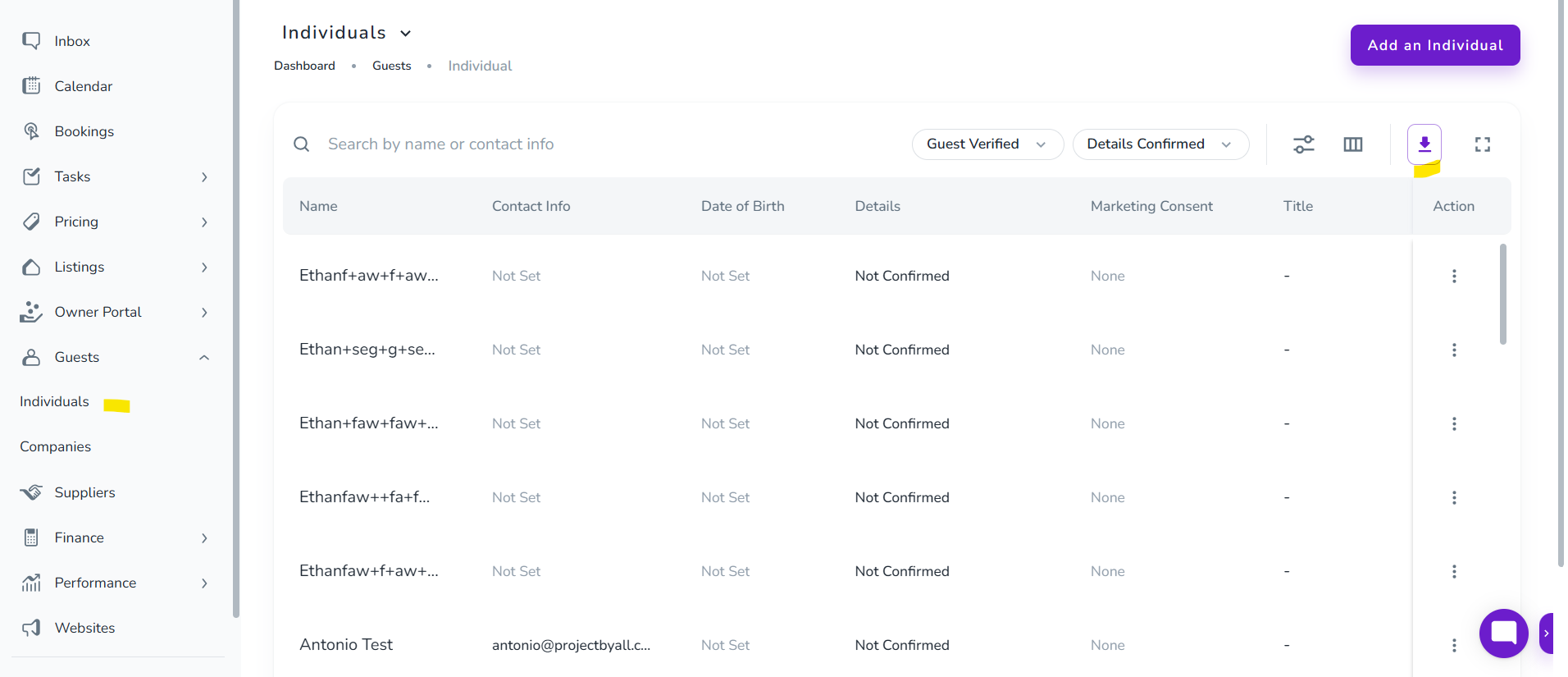
Click the Download icon to export guest data in XLSX or CSV format.
This works for both individual and company guests.
On the Individuals dashboard, click the three dots next to a guest to:
View their details
Archive the guest
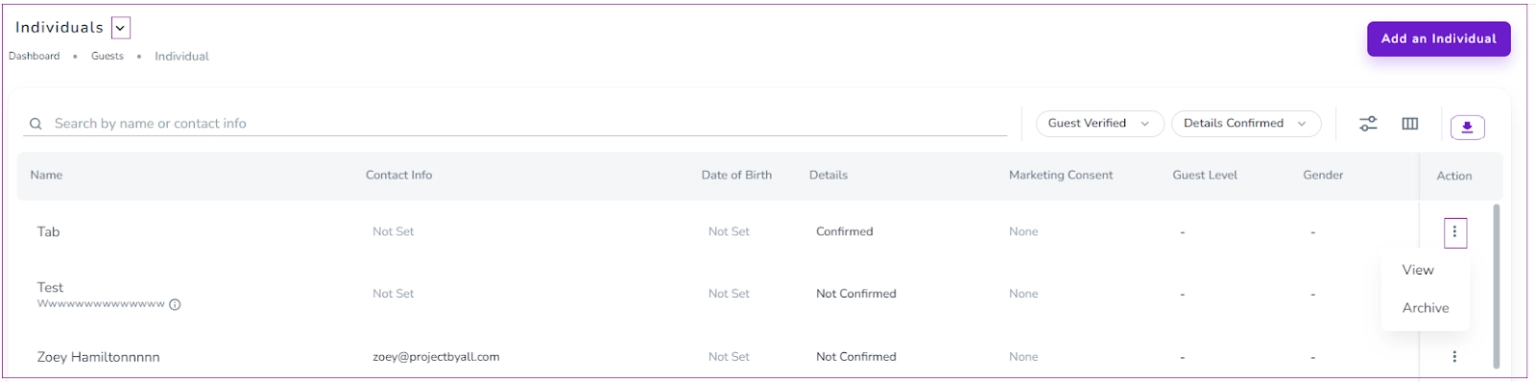
To unarchive an individual guest:
Click the arrow next to Individuals
Select Archived Individuals
Click the three dots next to the guest and choose View or Unarchive
You can also use Inline Editing to update:
Name
Contact Info
Date of Birth
Other details

In order to export your previous guests' emails:
Step 1: Go to Guests ->Individuals.
Step 2: You can modify the grid by the filters and the grid sign and choose the info you want to see.
Step 3: Click Export Grid.
Step 4: Choose the format of the file (CSV or XLSX).
Step 5: The file will be sent to your email address.
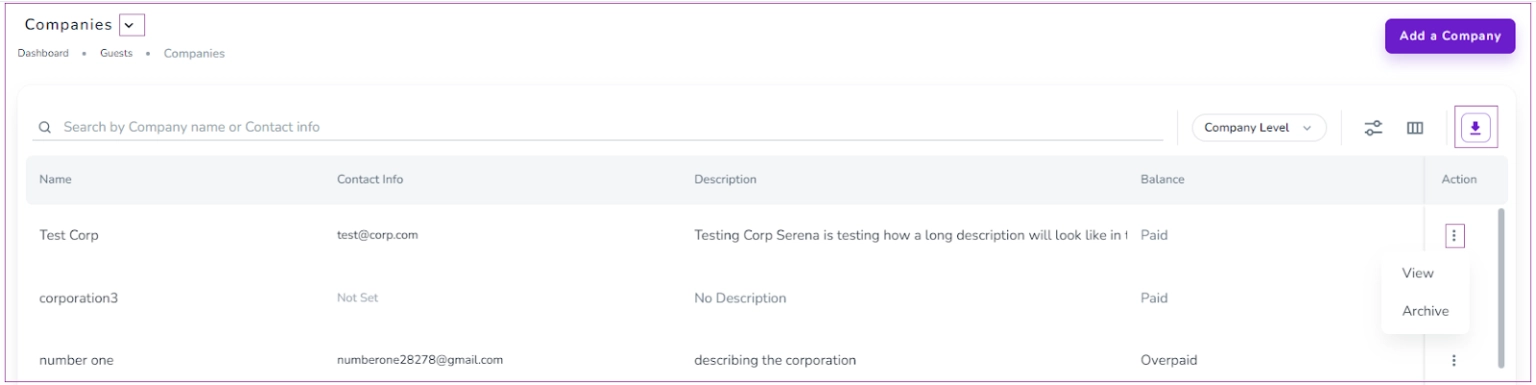
On the Companies dashboard, click the three dots next to a company to:
View their details
Archive the company
To unarchive a company guest:
Click the arrow next to Companies
Select Archived Companies
Click the three dots next to the company and choose View or Unarchive
This system ensures that your guest database stays organised while allowing easy access and updates when needed.
