If you want to add a team member to help with setup, follow the steps below.
Make sure:
The person’s email address is not already being used under another Zeevou account.
You have Admin access to your Zeevou account.
You know which role they need.
Follow these steps:
Log in to https://app.zeevou.com.
Click the Gear icon in the top right.
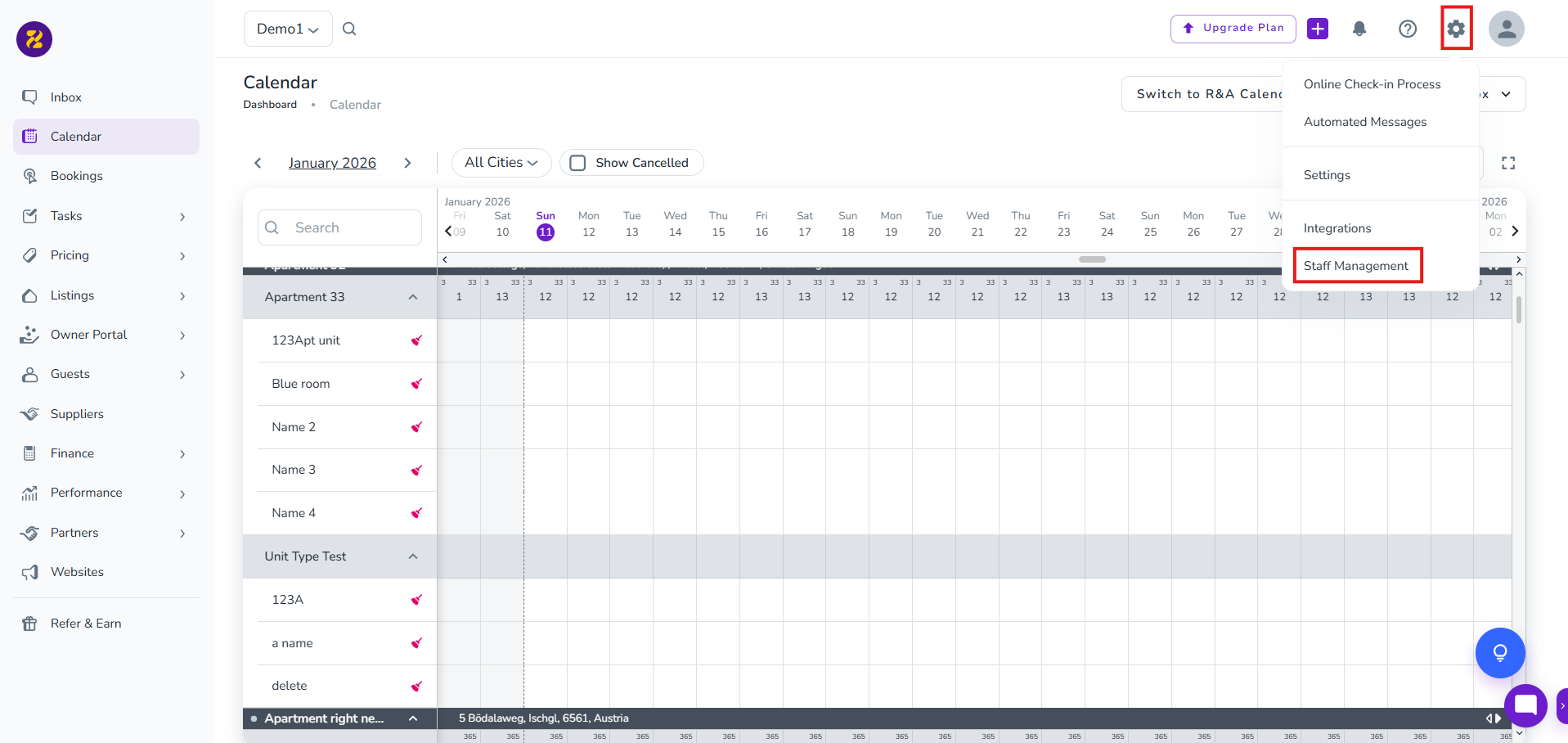
Select Staff Management.
Click on New Staff.
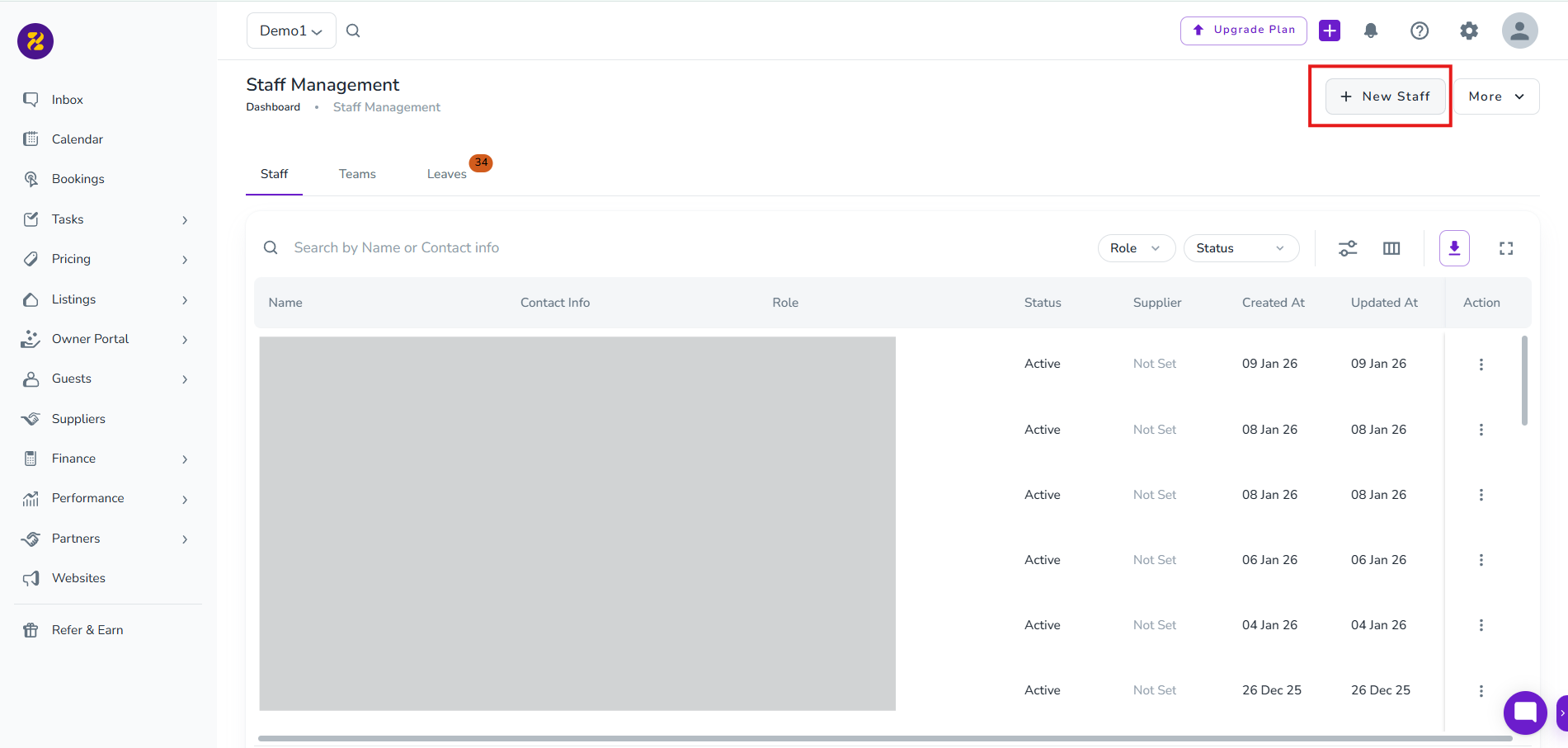
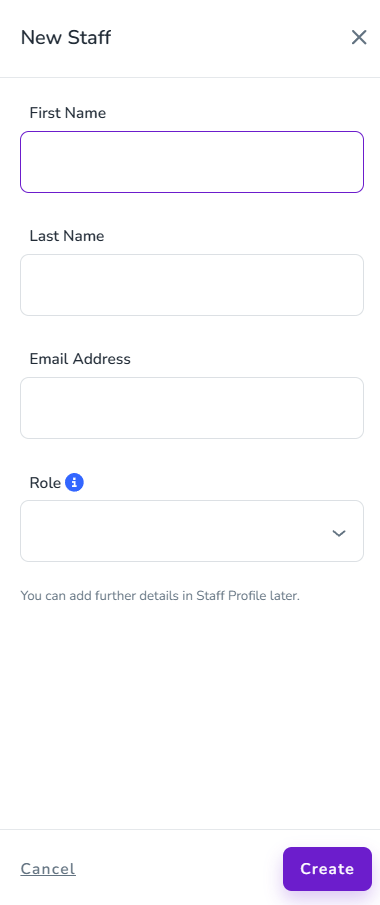
Enter the team member’s details.
Select their role. (Host role allows them to add listings.)
Click Create.
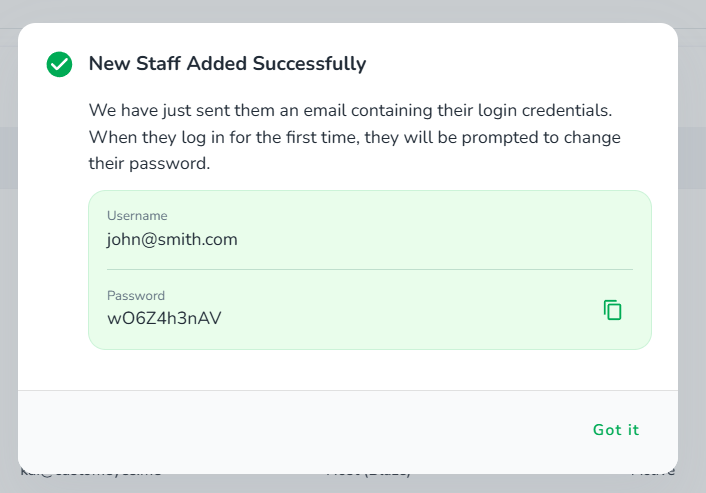
You’ll see a confirmation message.
The login details will be emailed to the team member.
They can log in and continue the setup.
To continue with your onboarding steps, click here.
Note: Each email address can only be linked to one Zeevou account per organisation.
(You can’t invite someone who already uses Zeevou under another organisation.)
