When Do You Need This Setup?
This structure is only necessary if you have multiple bookable units in one location, such as:
Hotels, motels, or guesthouses.
Boutique or serviced apartment blocks.
Buildings with several identical room types (e.g., three 2-bedroom flats).
Skip this if you only manage single, unique houses or individual apartments
(Especially if you are used to Airbnb)
When you list a property in Zeevou that contains multiple bookable accommodations, you set it up using Listings, Unit Types, and Units. This structure is based on Booking.com’s model and is designed to optimise availability across similar accommodations.
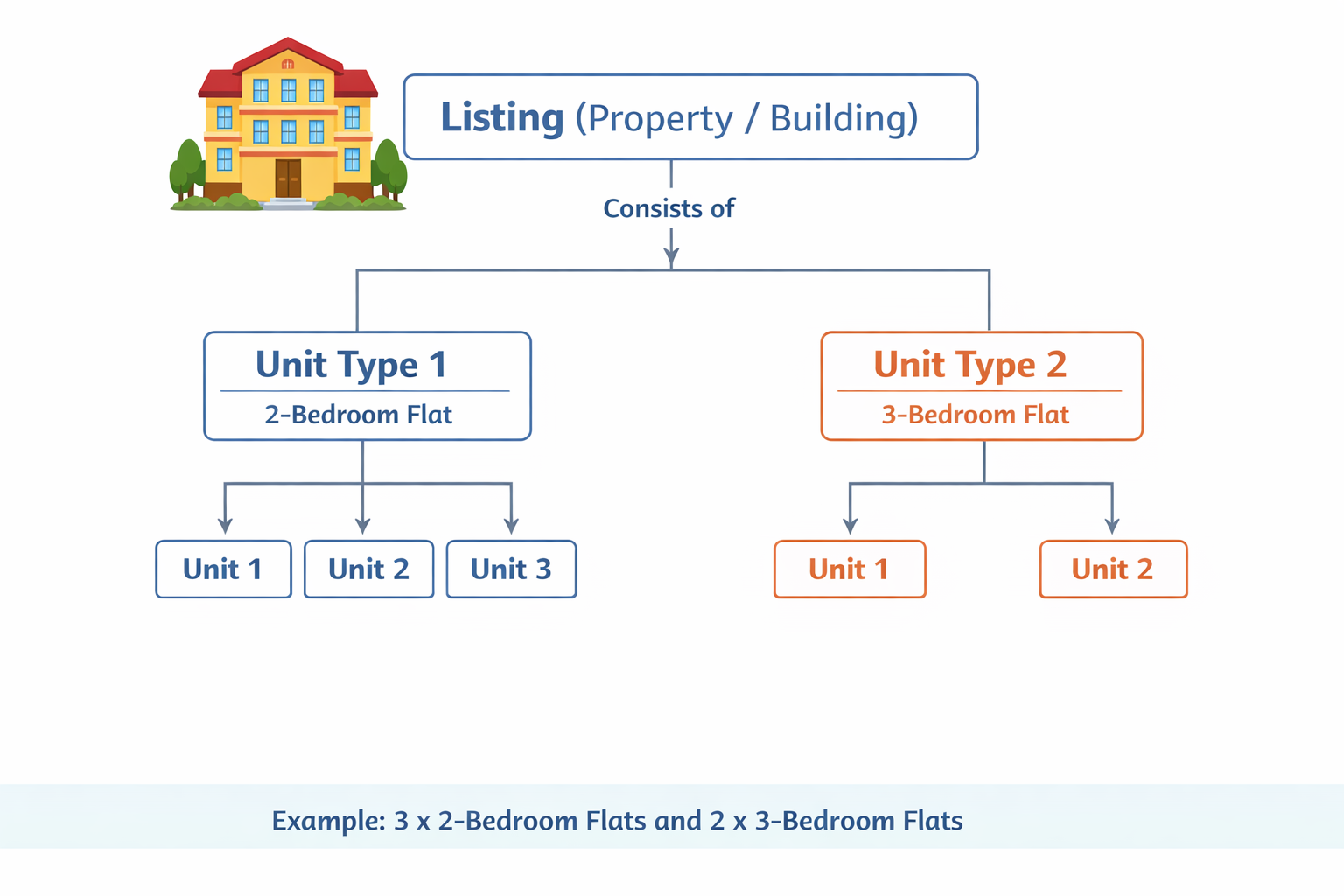
A Listing represents the main property or building. It creates one page on the Zeevou website.
Purpose: It creates a single landing page for the property on your Zeevou website.
Mapping: It is equivalent to a Property/Listing on Booking.com
Rule: Create one listing per building
Examples:
An apartment building
A hotel or motel
A block of serviced or boutique apartments
If all accommodations are in the same building and guests can book more than one at the same time, you create one listing for the entire property.
B. Unit Type (The Category)
A Unit Type in Zeevou is equivalent to an Airbnb listing or a Booking.com Room Type.
Requirement: All units in a Type must share the same size, layout, capacity, and amenities.
Examples: “2-Bedroom Flat” or “Studio Apartment”
Onboarding Tip: If you would normally create one Airbnb listing for a specific accommodation type, that same setup should be one unit type in Zeevou.
If you want to have one building with multiple unit types, you should use the first listing as the first Unit type/listing and then add the second Airbnb listing as the second unit type to it.

C. Units (Inventory)
Units represent how many identical accommodations you have under a unit type.
In simple terms:
Unit Type = What you are selling
Units = How many times you can sell it at the same time
Example:
3 identical 2-Bedroom Flats → 1 unit type with 3 units
2 identical 3-Bedroom Flats → 1 unit type with 2 units
Unlike Airbnb, Zeevou uses an availability optimisation algorithm that works at the unit type level. It results in a higher occupancy rate.
When availability is sent to Airbnb:
Airbnb sees availability based on the unit type
Zeevou assigns bookings to specific units internally
This allows you to accept bookings you might otherwise lose
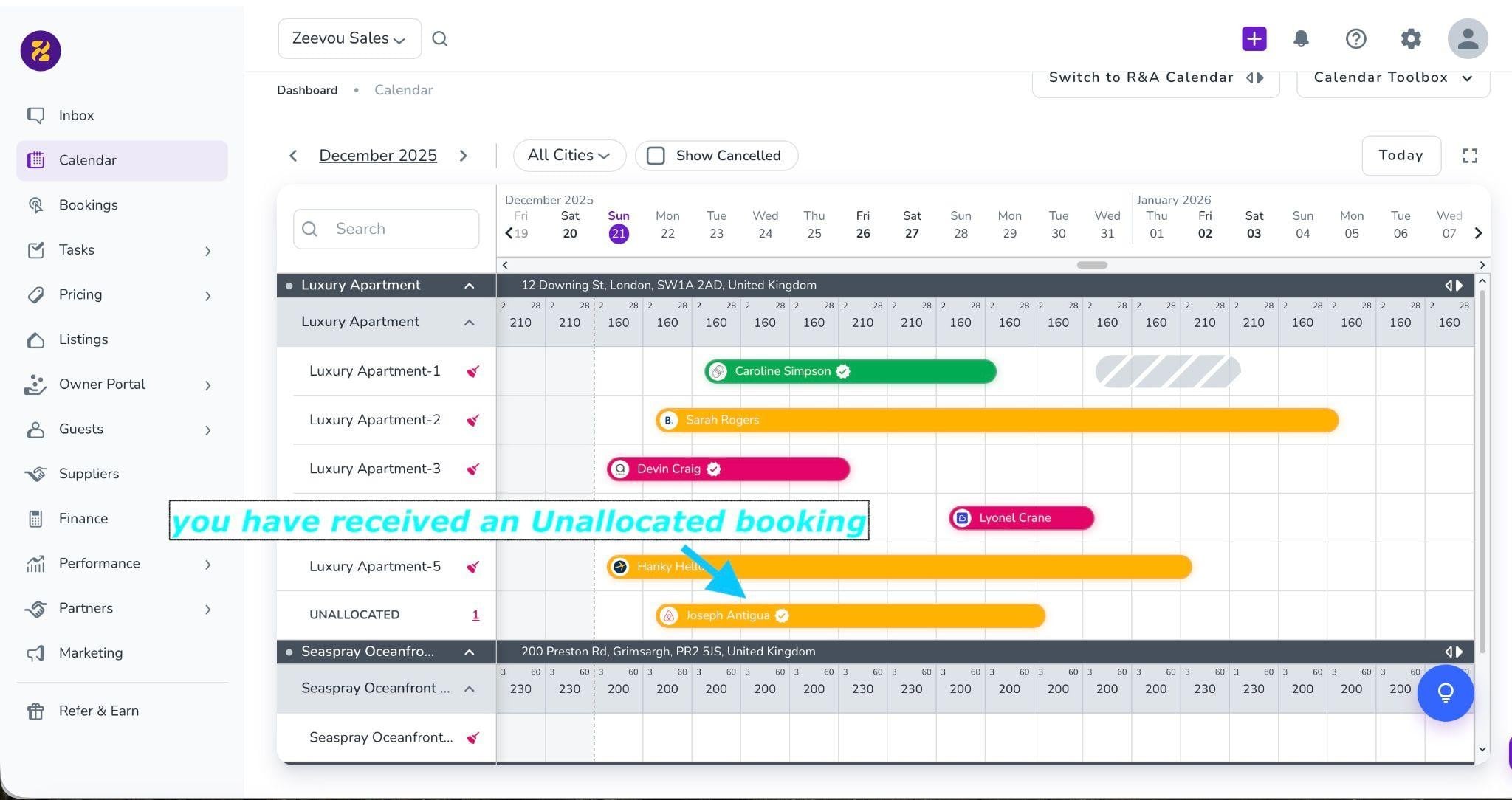
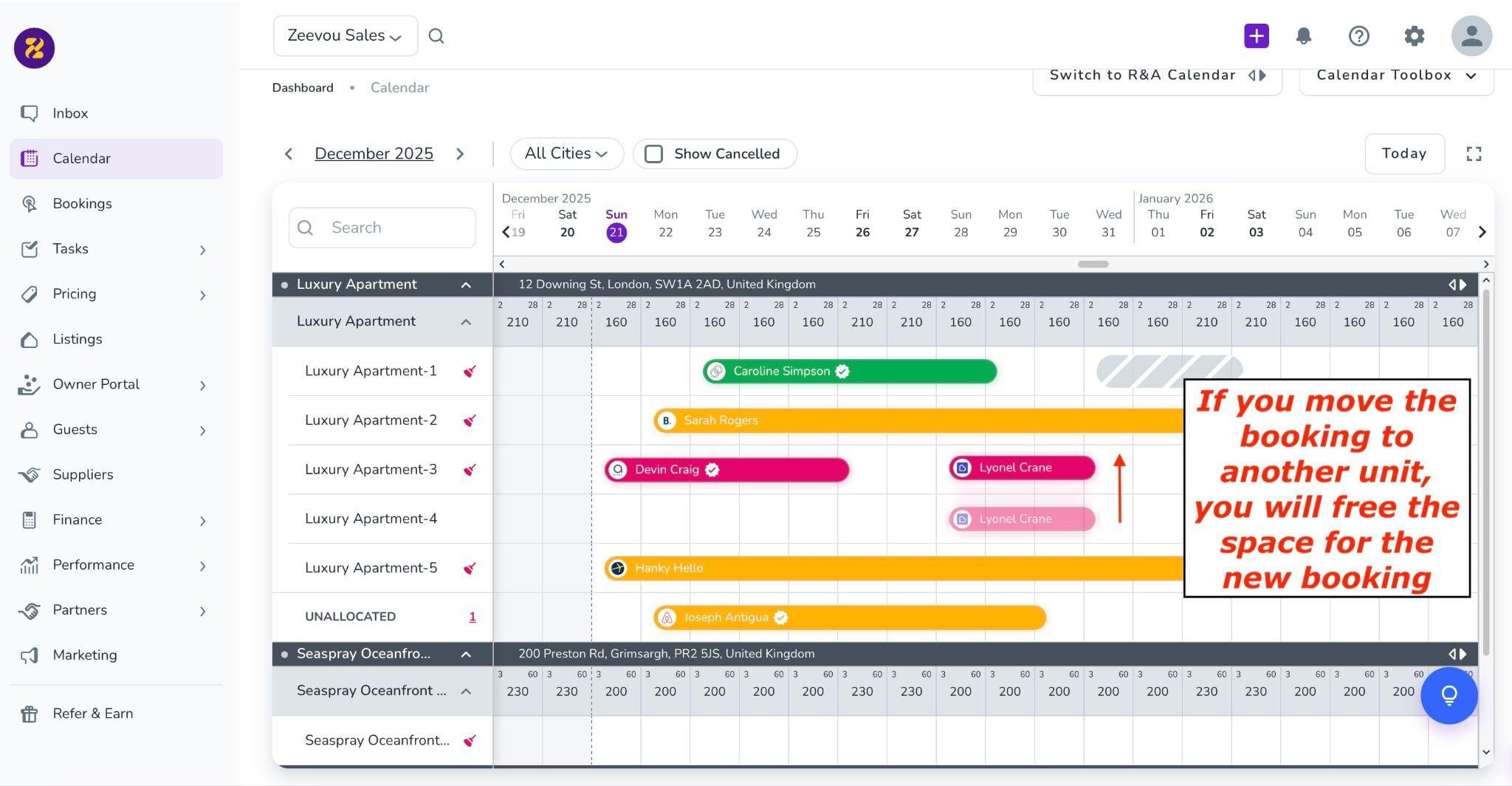
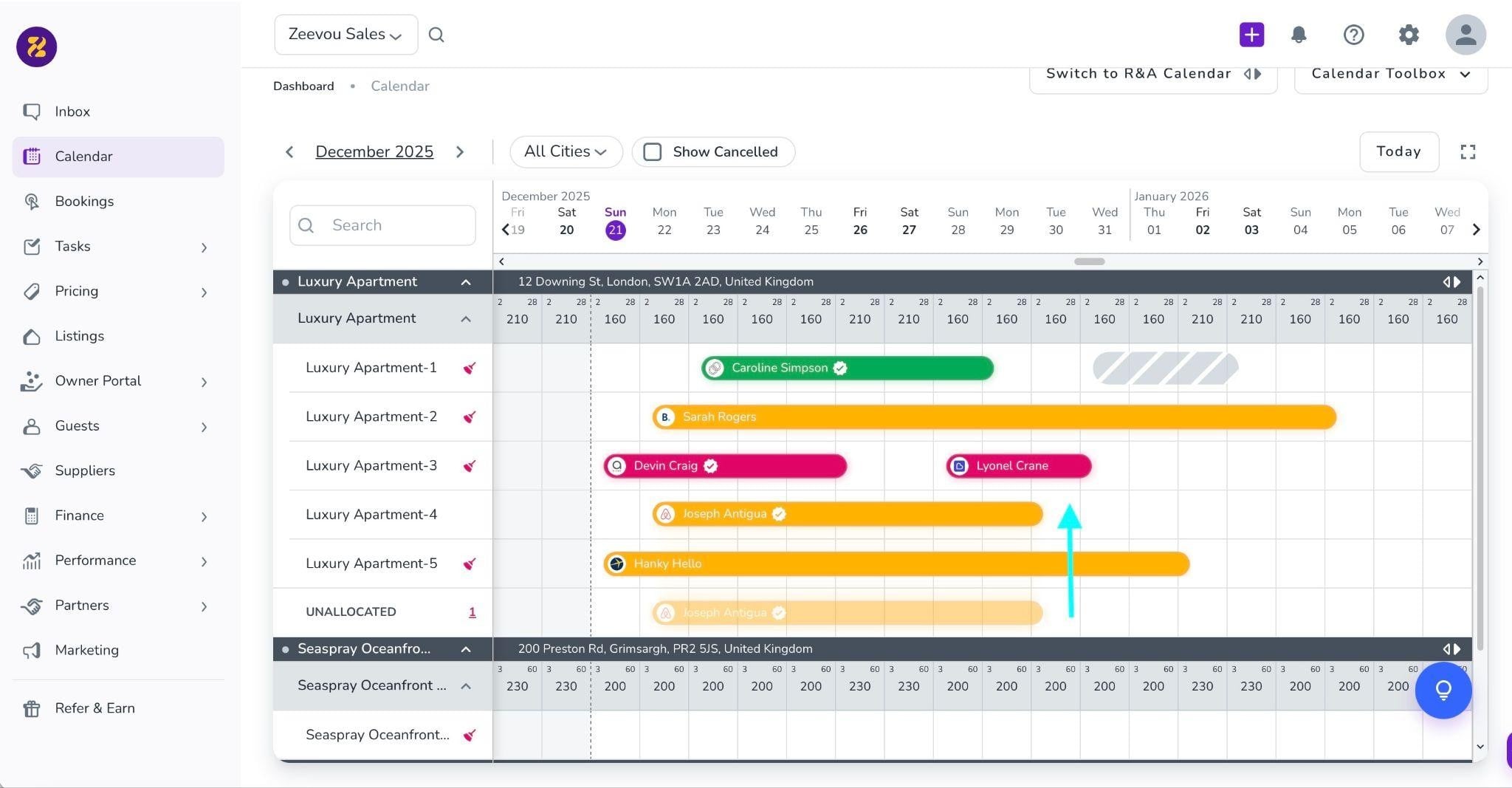
For example, in the following images, you can see an unallocated booking from December 22nd to 29th. At first glance, you might think there is no availability, but with a slight change in the bookings, you can easily find a place for that booking.
Step 1: Determine Your Structure – Identify if you have multiple identical units in one building or a single unique property.
Step 2: Import or Create Your Listing – Start by importing your first Airbnb listing or creating a new Listing for the main building.
Pro Tip: In the setup wizard, you can give the Property (Building) and the Unit Type different names to keep things organized and clear.
Step 3: Add Subsequent Listings as Unit Types – For the second or third Airbnb listings in the same building, import them as New Unit Types under the existing Listing.
Step 4: Define Inventory (Units) – For each Unit Type, enter the number of identical physical units you have available.
Step 5: Map the property to different channels. For more information, please refer to the articles.
Key Rules to Remember
One Listing per Building: Group all accommodations at the same address under one main Listing to create a single landing page.
Identicality is Key: Only group rooms into a Unit Type if they share the same size, layout, capacity, and amenities.
Automated Optimisation: Once set up, Zeevou’s algorithm will automatically manage availability across units to maximise your occupancy
