
Security Deposit on Final Checkout Invoice
On the final checkout invoice, Zeevou automatically adds a separate line item for the charged security deposit. It appears as Security Deposit (or similar) with the amount captured, alongside other charges. Guests receive a branded PDF or Pay Now button reflecting this charge.
Note: The security deposit will only appear on the invoice if:
The toggle is turned on in the Guest Invoice card within the Finance tab of the Booking.
A deposit has been captured.

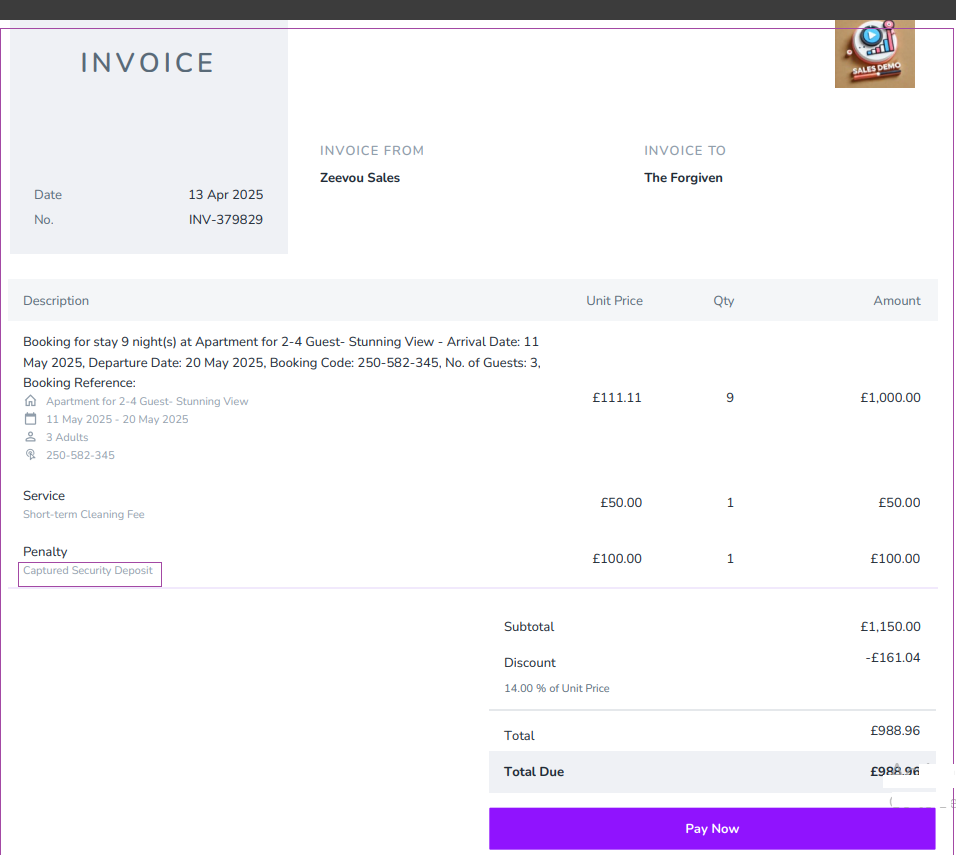
For details, see Invoices.