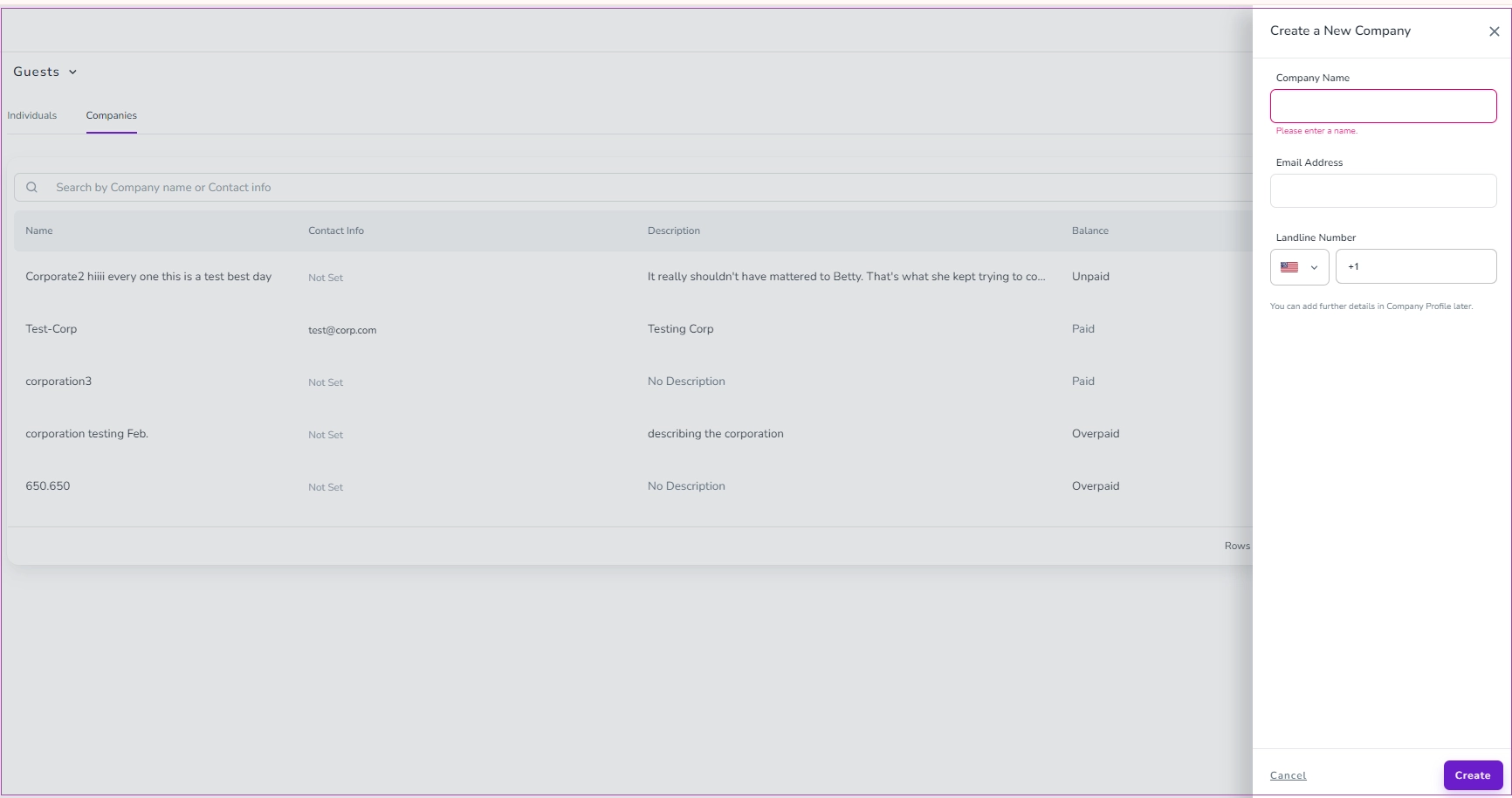
To create a Company, on the main menu, go to Guests -> Companies and click Add a Guest and select Company. Then, a drawer opens in which you can enter Company Name, Email Address, and Landline Number. You can add further details in the Company Profile later. Finally, click Create.