Setting a Guest Level
As a host, you might want to be able to flag a guest or a company profile in order to recognise your VIP customers easily and to put more focus on them. We are happy to announce that you can easily categorise your special guests into three levels: Gold, Silver, and Bronze.
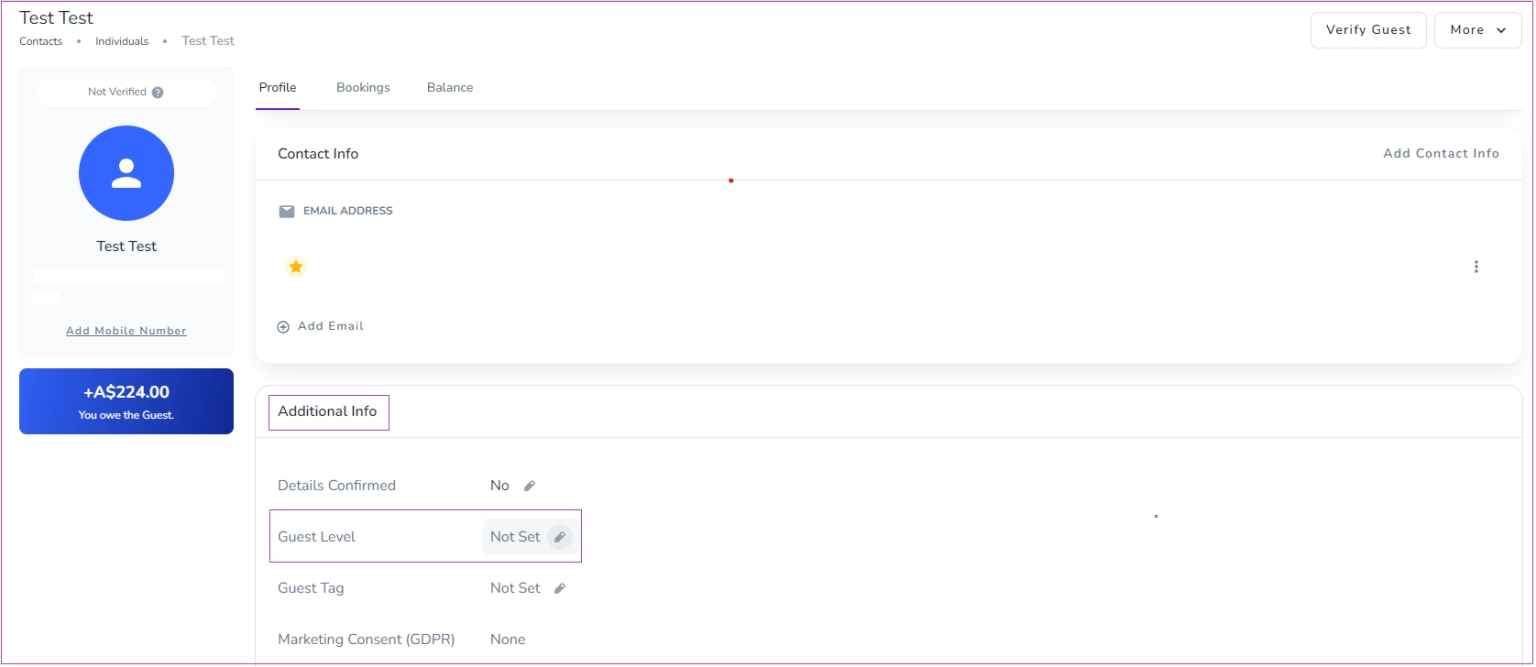
To do so, go to any existing guest/company Profile -> the Additional Info card and click the pencil to set/edit it.
Note that you can view the guest level on the Booking view under the Guests tab. In addition, you can use the Guest Level filter in Guest Grid to find all guests in one level.
Managing the Primary Email
On the Contact Info card, the primary email (marked with a star) is used for automated messages, and all notifications are sent to this address. To change the primary email, you need to delete both email addresses and re-add them. First, add the email you want as the primary so it receives the star, then add the other email, which will be set as the secondary without a star.
Creating Custom Tags
As a host, you can add tags to your Guests/Companies to identify them and the type of service which should be provided for them.
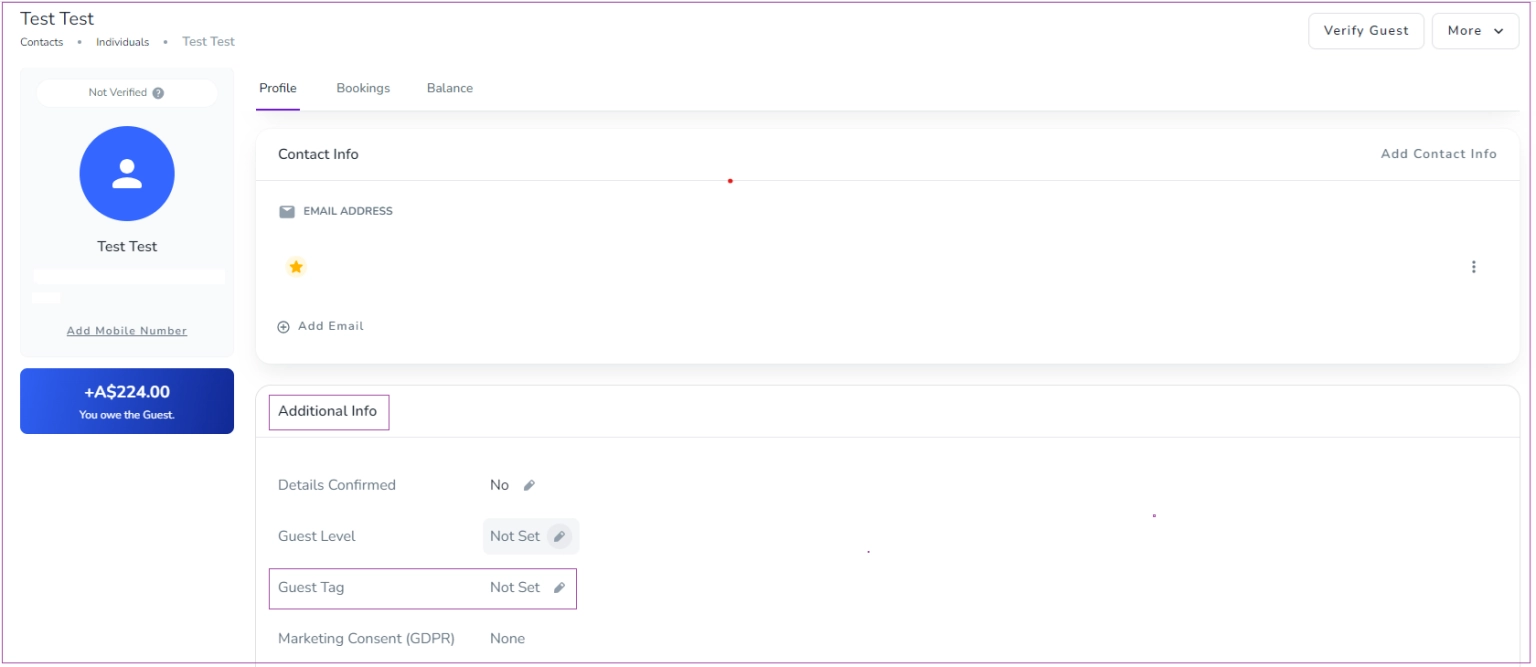
To do so, go to any existing guest/company Profile tab -> the Additional Info card and click on the pencil to set/edit it.
The added tags to a guest/company are visible in the booking page -> the Guest tab.
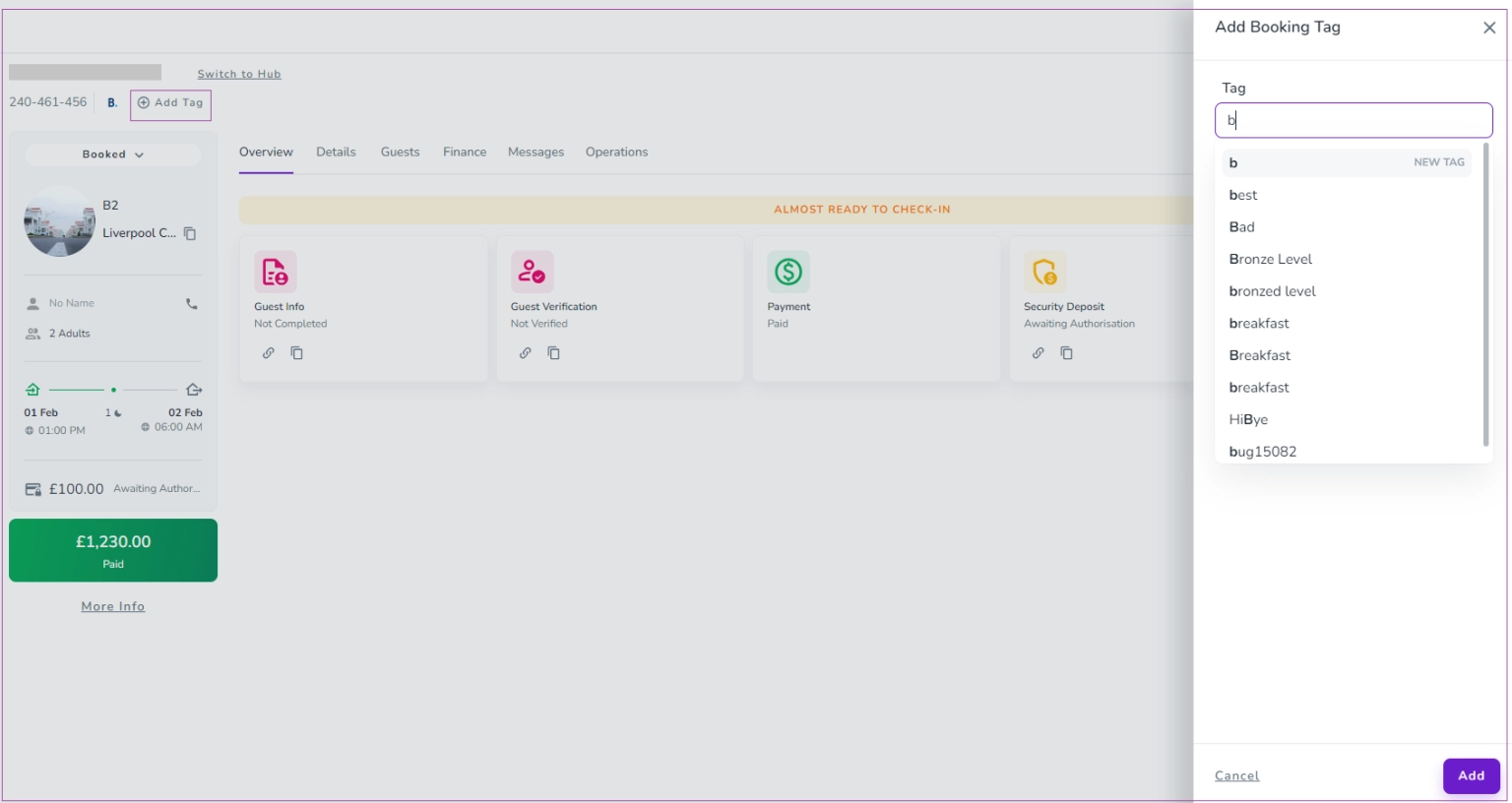
In addition, you can add new tags to your bookings. To do so, go to the Booking page and click Add Tag. Then, a drawer opens in which you can enter your tag and click Save.
Again, when you type a tag, the system provides you with all the already created tags to choose from. If you cannot find your desired tag among the existing ones, you can create a New Tag.