15 minutes
A PayPal Business account (create free account if you don't have one)
Access to PayPal Developer Dashboard
You need to create an "app" in PayPal to get your connection credentials:
Log into PayPal Developer Dashboard
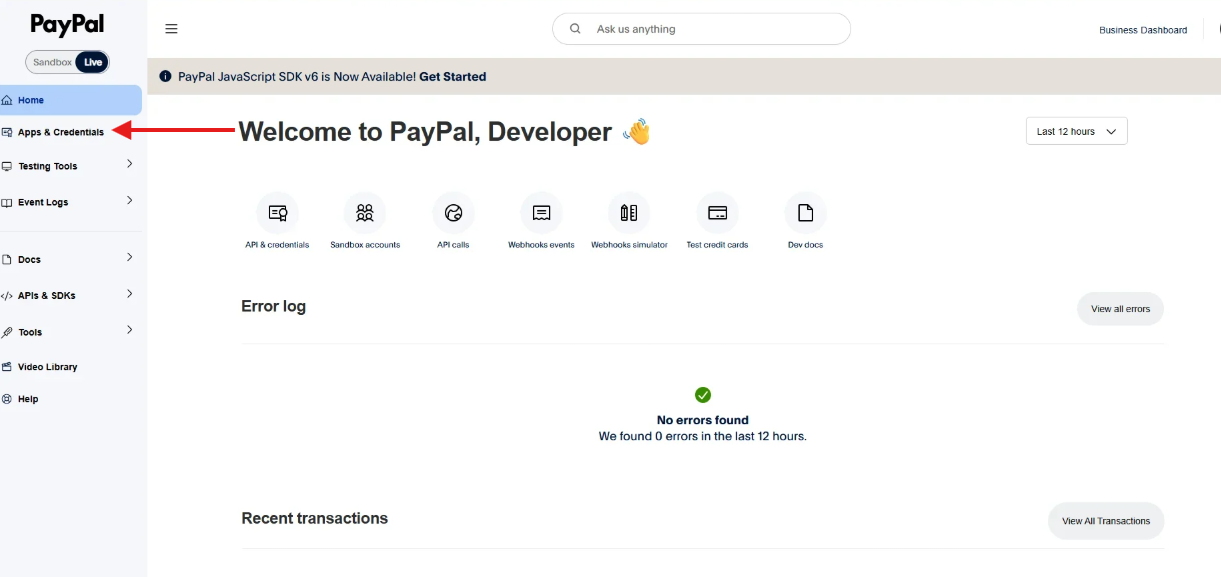
Make sure you're on the Live tab (not Sandbox)
Click My Apps & Credentials (left sidebar)
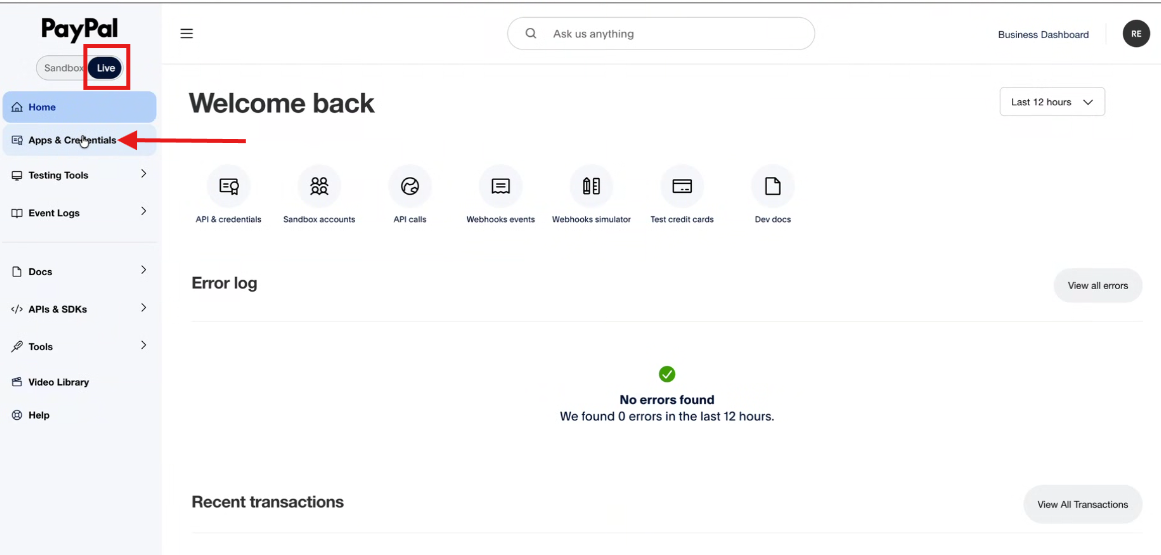
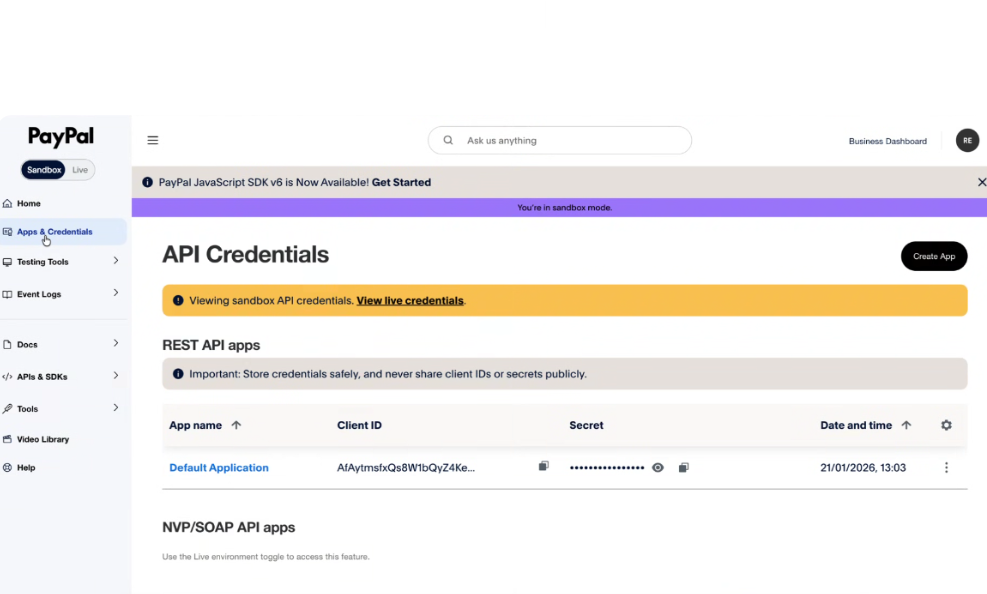
Click Create App
Enter an app name (e.g., "Zeevou")
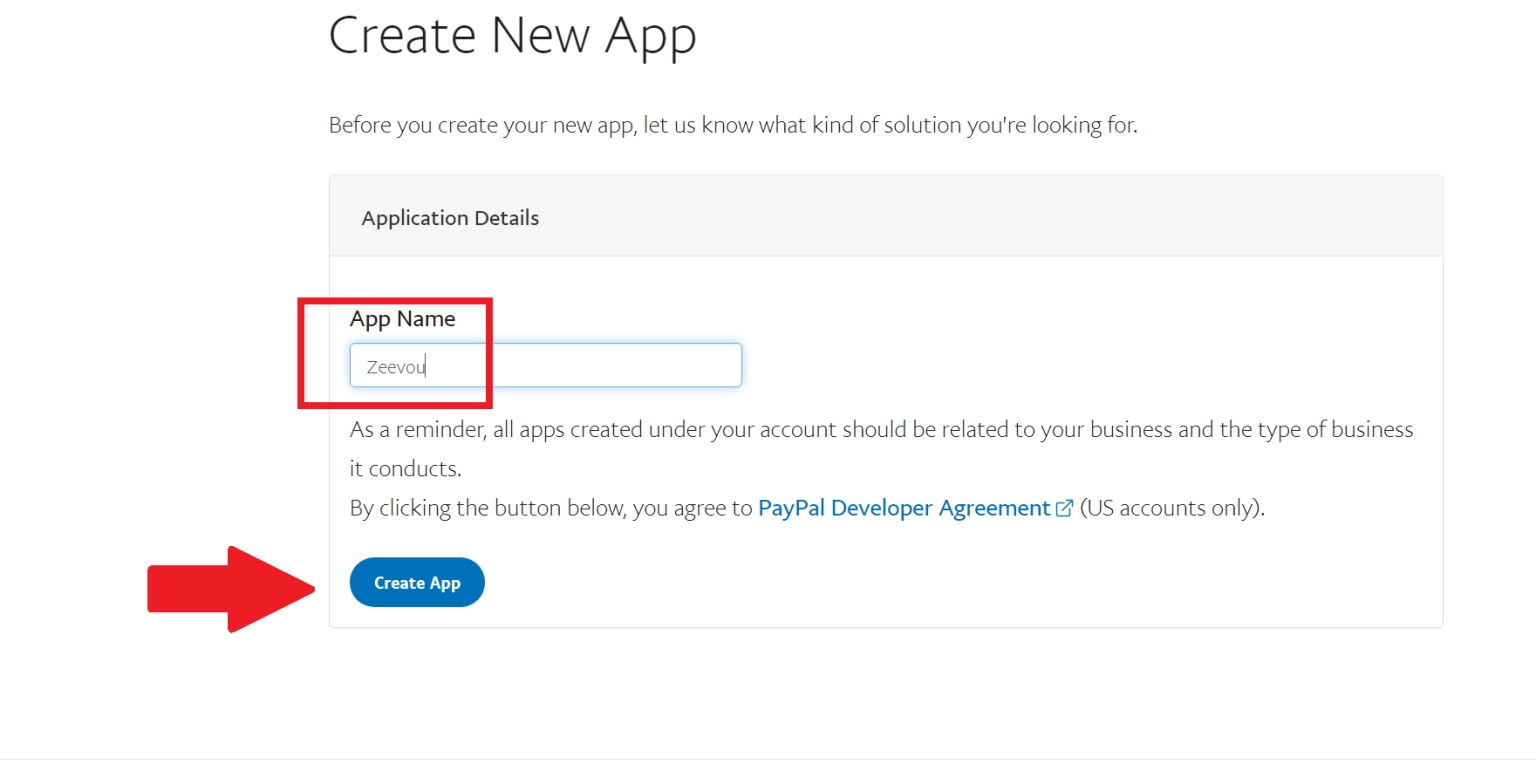
Click Create App
You'll see your credentials:
Client ID (copy this)
Secret (click "Show" then copy this)
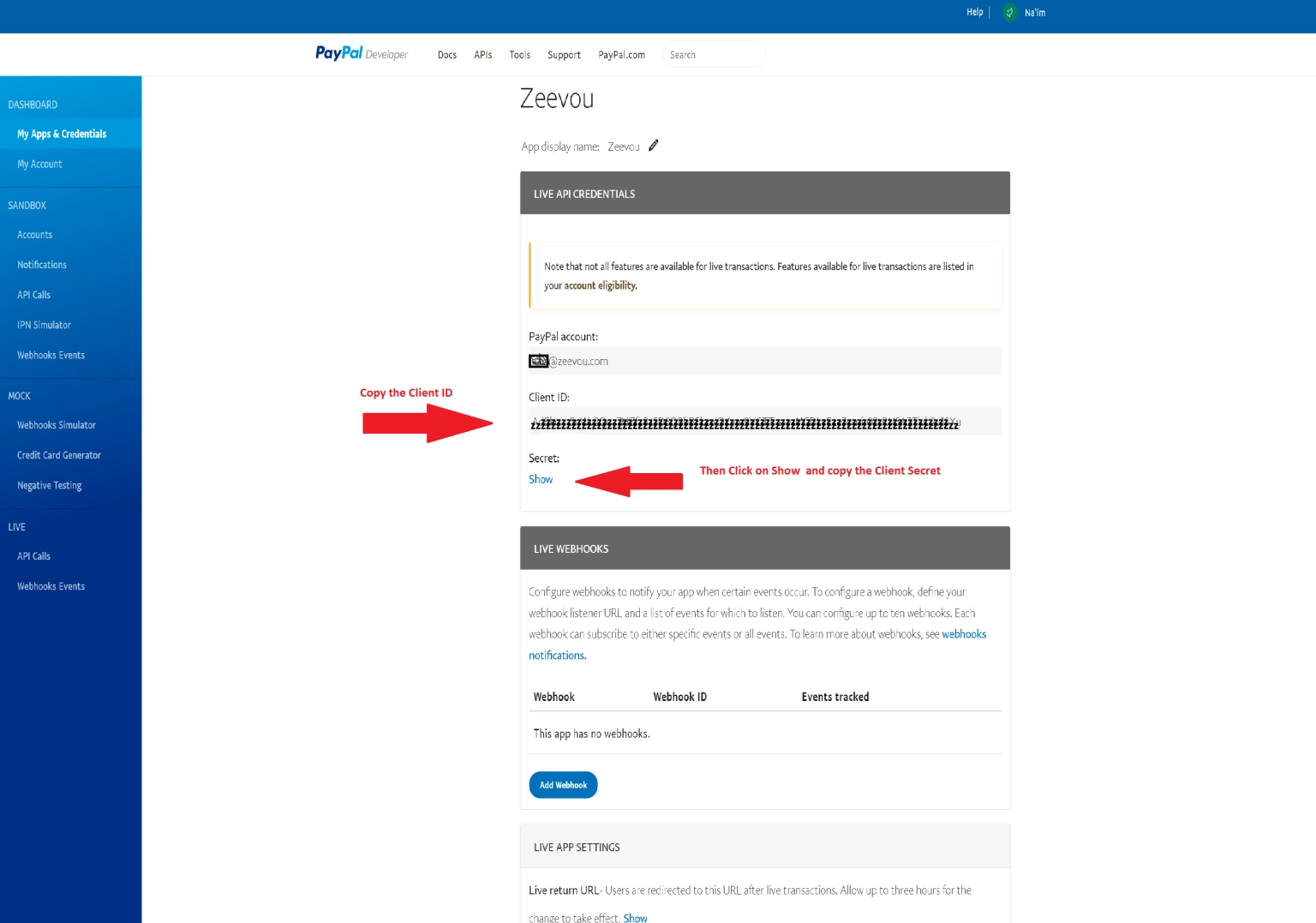
Keep these credentials safe - you'll need them in the next step.
Log into app.zeevou.com
Click the gear icon (top right) → Integrations
Select the Payments tab
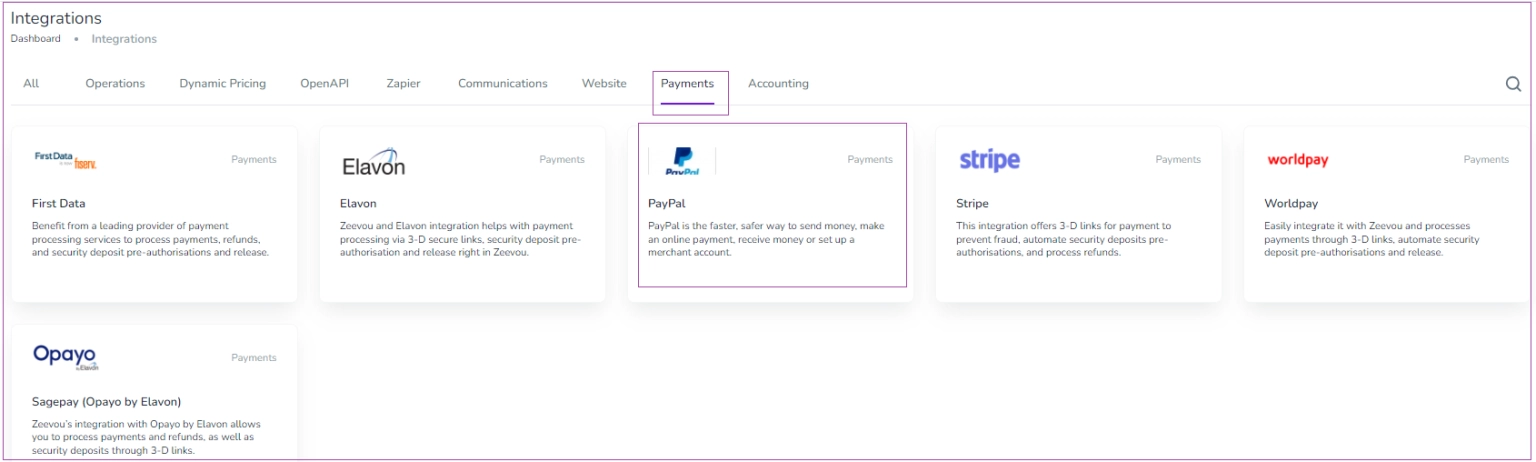
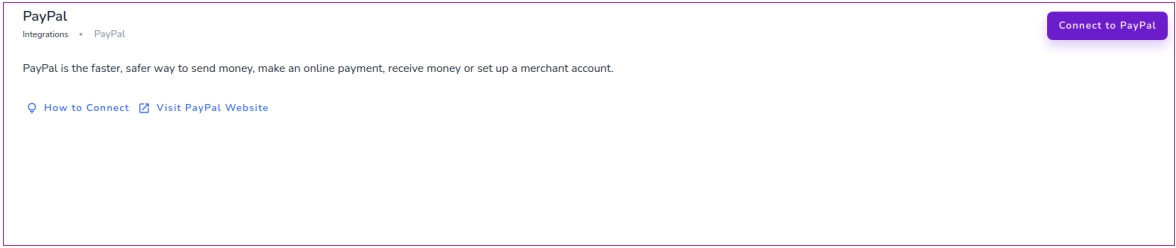
Click PayPal → Connect to PayPal
Paste your Client ID
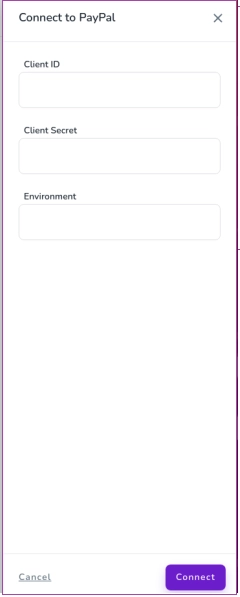
Paste your Secret
Make sure you are in the Live environment on Paypal, and then write “live” in the Environment field on Zeevou.
Click Connect
Zeevou confirms the connection is successful.

Click gear icon → Settings → Finance
Find the Payment Methods section
Turn on the Card toggle
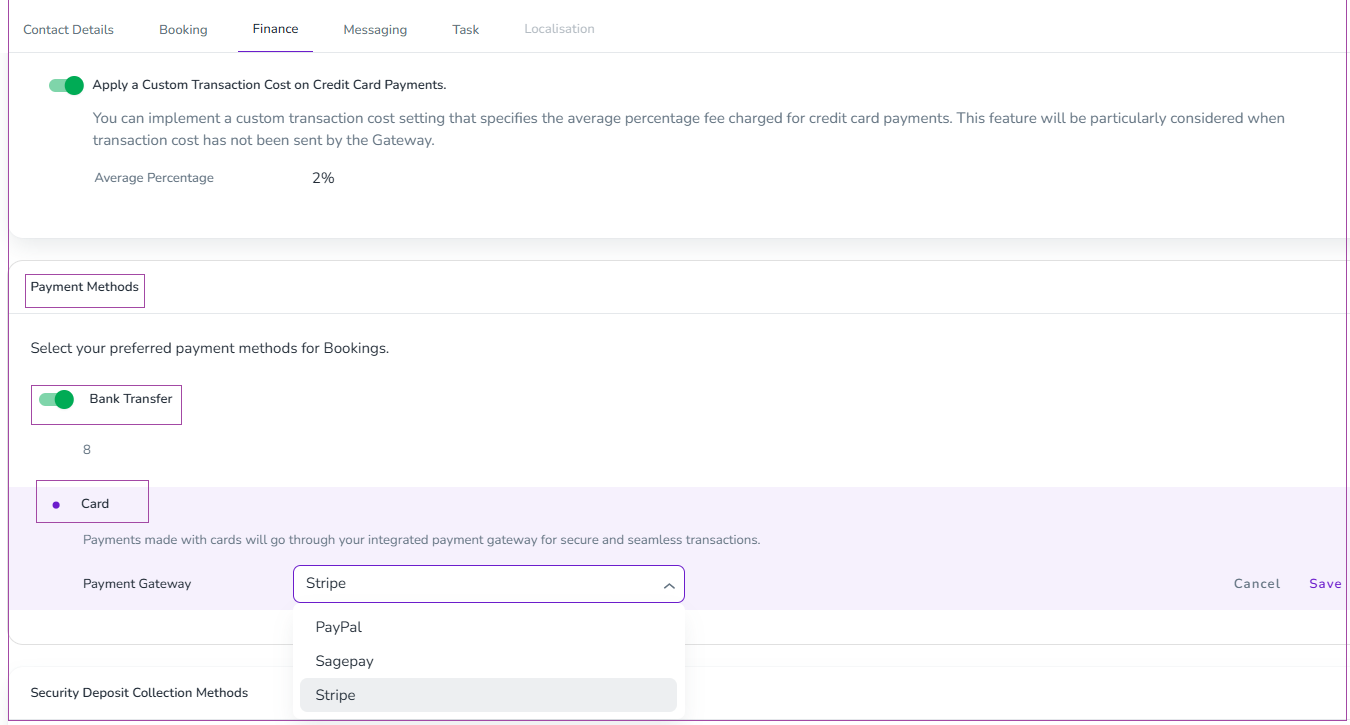
Select PayPal from the dropdown
Click Save
If you want to collect refundable security deposits from guests:
Settings → Finance → Security Deposit Collection Methods
Turn on the Card toggle
Select PayPal
Click Save
Visit your booking website.
Make a test booking.
At checkout, select PayPal.
Log in to your PayPal Sandbox account (use test credentials from PayPal Developer Dashboard)
Complete the test payment
Check your PayPal Dashboard - the test payment should appear
Guests can now choose PayPal at checkout. They can either:
Log into their PayPal account to pay
Pay with any credit/debit card through PayPal (without needing a PayPal account)
View your payments: Log into your PayPal Dashboard to see transactions and transfer funds to your bank.
Once you have added your payment gateway, you can continue with inviting your owners.
