How to Disapprove a Fee on an Invoice
To disapprove a fee in an invoice, follow these steps:
Step 1: Access the Fee
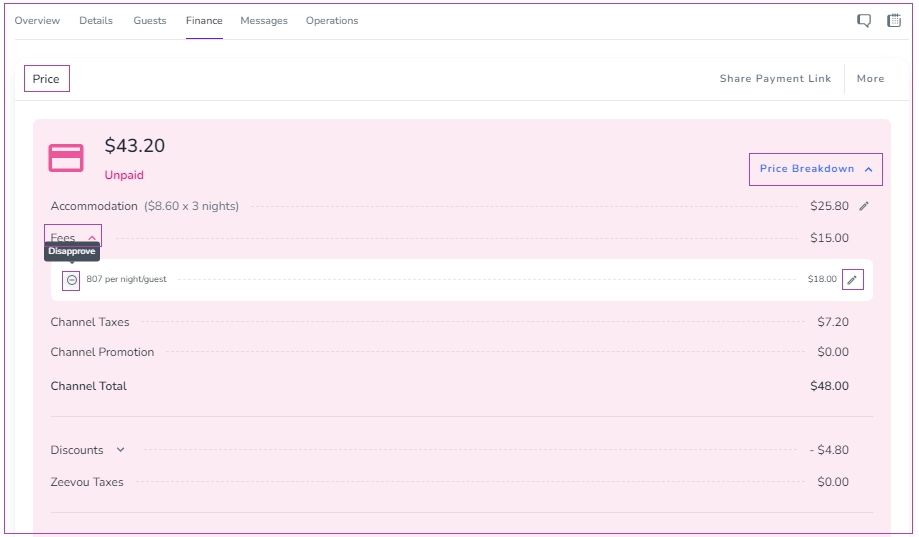
Go to the Booking View Page → Finance tab → Price card.
Click the arrow on the Price Breakdown.
Click the arrow next to Fees, then click the minus (–) sign to Disapprove the fee.
Step 2: Edit a Fee (Optional)
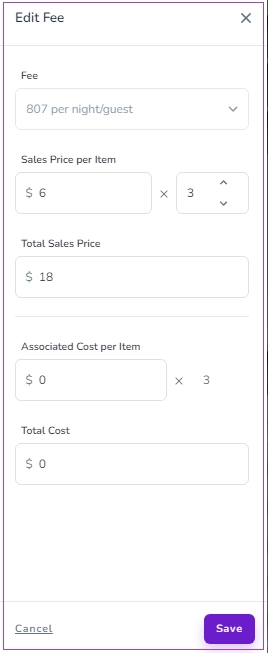
Click the pencil icon next to the fee amount.
In the drawer that opens, make your changes and click Save.