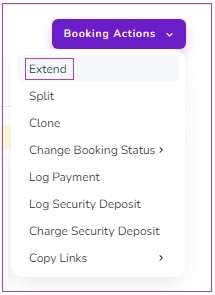
You can access Extend Booking from several places:
Booking View Page → Open Booking Actions and select Extend from the drop-down menu.
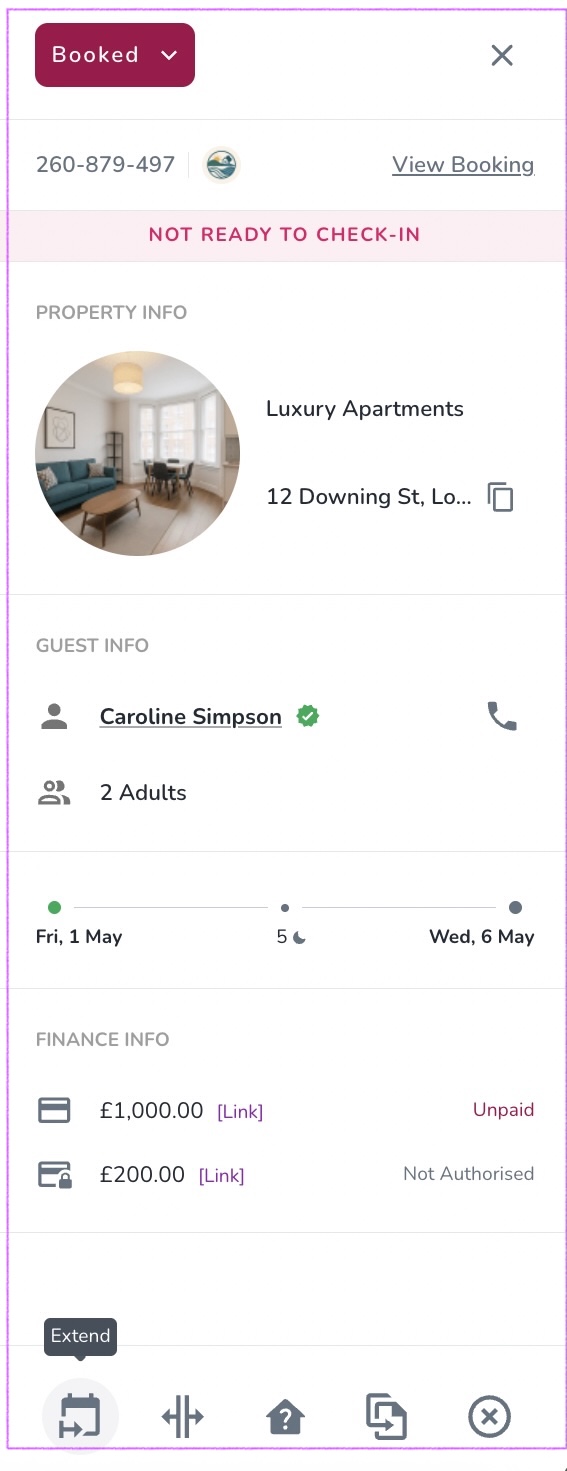
From the Calendar or Inbox → Click on the booking to open the booking drawer. At the bottom of the drawer, click the Extend icon.
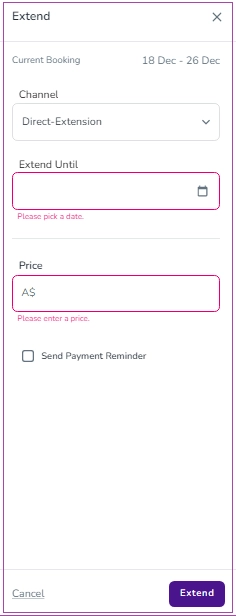
When you click on Extend, a new drawer will open where you can select the new check-out date and enter the price. Once completed, click Extend to confirm.
When you are extending a booking in Zeevou, you can decide how the Security Deposit should be handled for the newly created booking(s). This gives you full control over whether the deposit stays with the original booking or is recalculated for each new segment.
This tutorial explains where to find the settings and how each option works.
Open the booking you want to Extend.
Select Extend Unit.
A panel will appear on the right side of the screen.
Scroll to the Security Deposit section. Here, Zeevou prompts you to choose how the Security Deposit should be handled for the new booking.
Zeevou provides two options when creating a new booking through an extension:
The Security Deposit stays only with the original booking.
The new booking created after the extension will have a Security Deposit of 0.
Use this option when you want the deposit to remain tied to the initial reservation rather than issuing multiple deposit requests.
Displayed description in Zeevou: “The Security Deposit remains only in the original booking, and the second booking will be created with a deposit amount of 0.”
Each booking (original and newly created) will receive its own Security Deposit.
The amount is calculated based on the Rate Plan or Unit Type assigned to each booking.
Choose this option when you need every segment of the booking to hold its own deposit responsibility (e.g., different dates, different prices, or different units).
Displayed description in Zeevou: “Each booking (original and extended) will have a Security Deposit amount based on the applicable Rate Plan.”
All bookings created through extension, remain part of the same group booking. Therefore, the total Security Deposit displayed at the group level represents the sum of all applicable deposits assigned across the related bookings. Please note that deposits for bookings with a 'Guaranteed by Channel' deposit status are excluded from this calculation.
Note: Any booking, regardless of its collection type, can use these Security Deposit options. When you perform an Extension within app.zeevou, you can choose between the two available options: “Keep on Original Booking” or “Separate Deposit for Each Booking.”
If the Extension is carried out through another method, the system will automatically apply the same behaviour as the “Keep on Original Booking” option.
The following guidelines explain how security deposits are handled when extending bookings:
For deposit-handling channels (e.g. Airbnb), the Guaranteed by Channel deposit status is always retained, including after extending a booking.
Extending a booking through a deposit-handling channel does not recalculate or remove the Guaranteed by Channel deposit status, even if Separate Deposit is selected.
Deposits with a Guaranteed by Channel status are excluded from the Security Deposit total shown at the booking group level.
For all other channels, deposit amounts are recalculated after a booking extension, while the deposit status remains consistent across the booking group.
The booking group's total deposit is calculated as: Total of all extended booking deposits − Original booking deposit amount.
