Zeevou automates your entire online check-in journey — from booking confirmation to security deposit handling — ensuring a smooth guest experience and reducing manual follow-up.
After a booking is confirmed, the guest receives an Online Check-in email requesting them to:
Confirm their personal details
Provide their arrival time
Complete any outstanding payment
Enter card details for security deposit pre-authorisation (if not already done)
Sign your Terms & Conditions
Upload/provide ID details
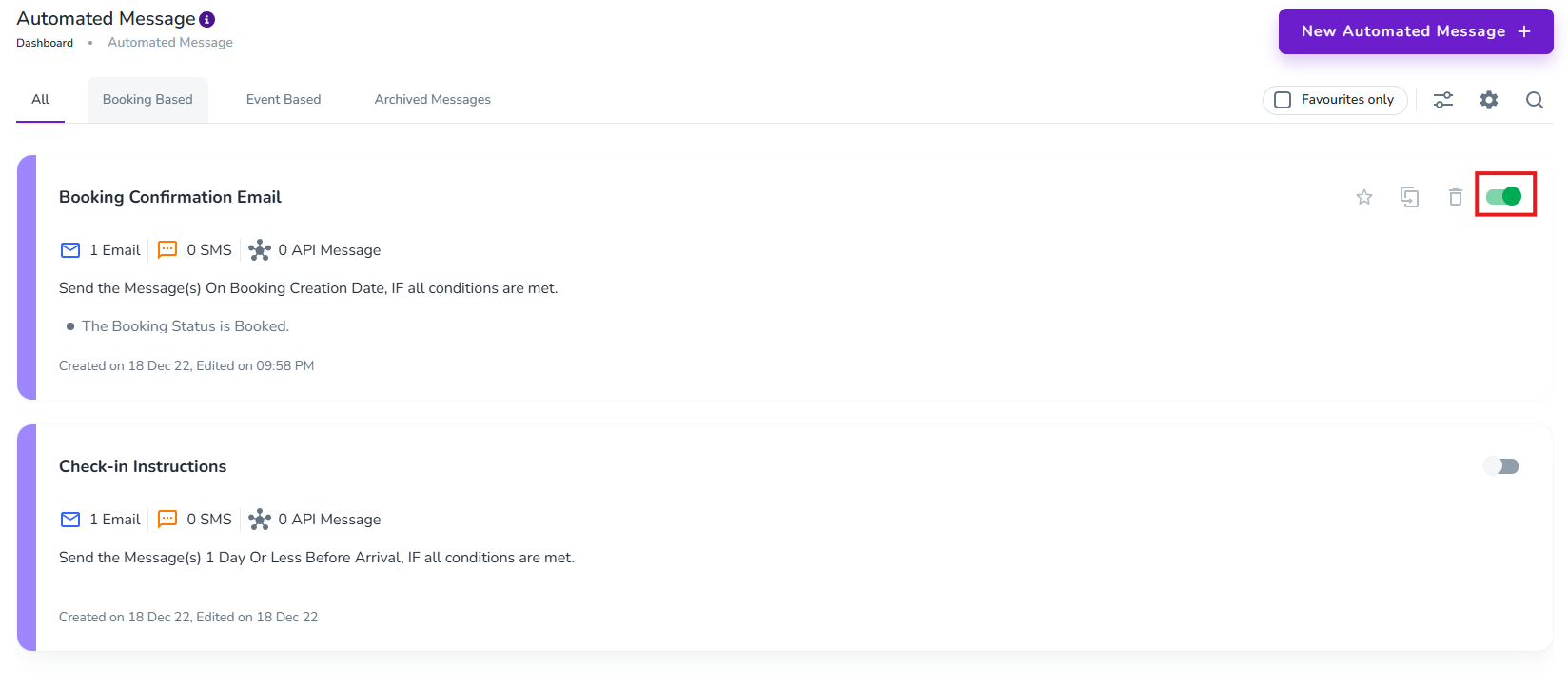
To ensure that guests get a confirmation email with next steps once they book, follow these steps:
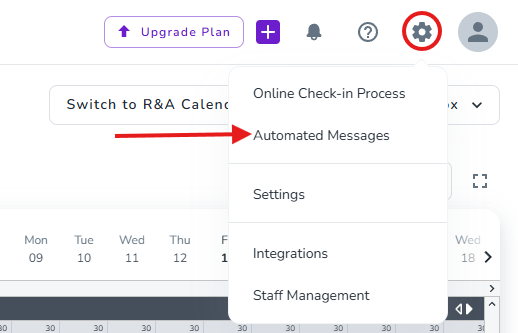
Click the Gear symbol on the top right
Click Automated Messages
Activate the Booking Confirmation Email
Note: If you wish to review and modify the content of the email first, click on the card for the message and scroll down.
Note: Please note that activating the email at this stage, means that any channel bookings that may be imported when you connect to channels will also receive this email. You may wish to add a condition to the email to restrict it to only send to direct bookings for now, hold off with activating it until after you have connect to other channels like Airbnb & Booking.com, or temporarily turn it off while connecting and reactivate it again once done.