
Adding a new guest to a booking
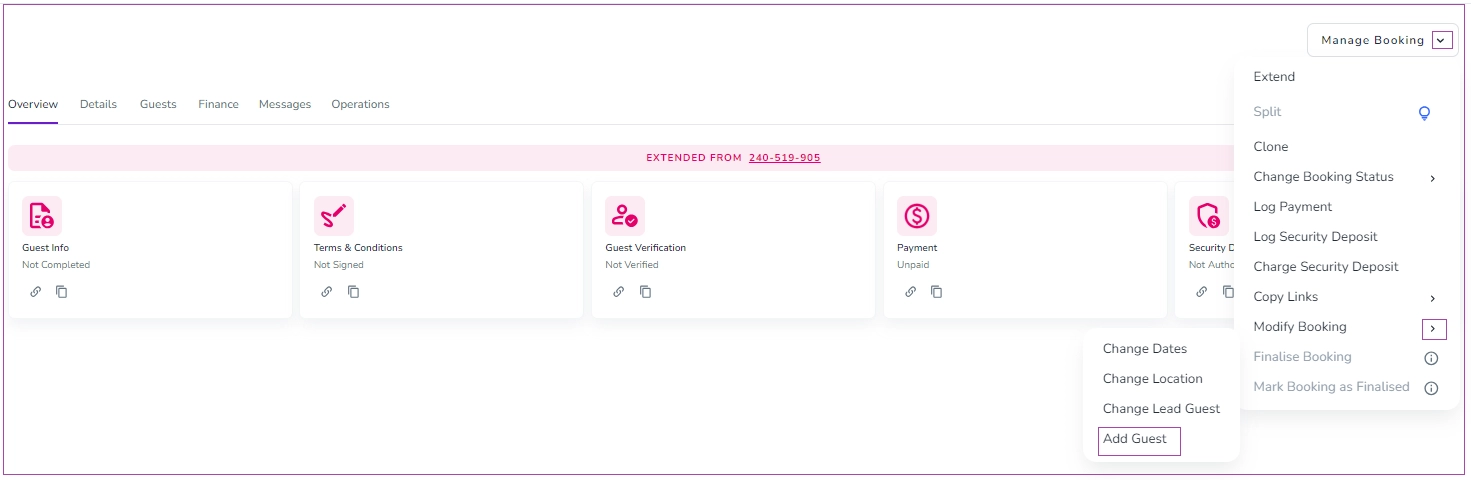
To do so, go to the Booking Overview page and click Manage Booking -> Modify Booking and select “Add Guest”.
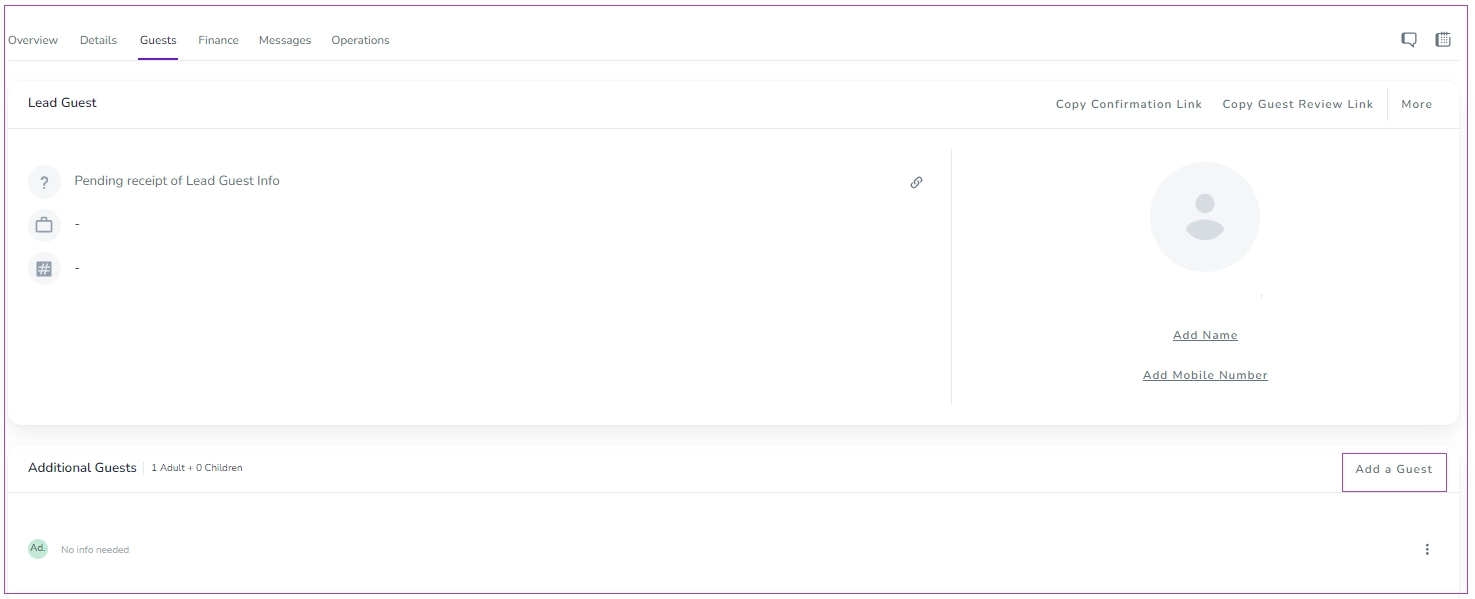
Or go to the Guests tab, go to the Additional Guests card, and click Add a Guest.
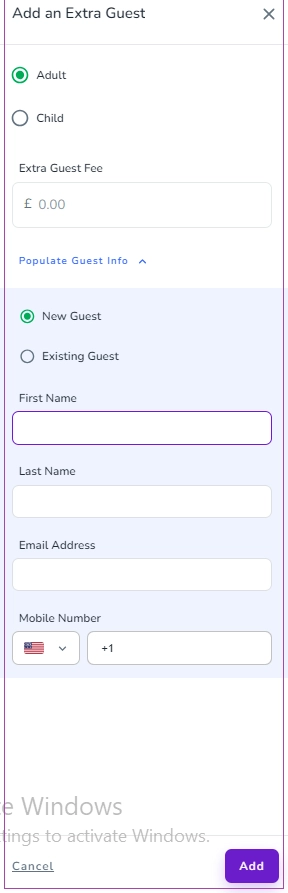
Then, a drawer opens in which you can enter the information. Finally, click Add.
Editing the number of guests in a booking
1. Open the relevant booking and go to the Guests tab.
2. Click "Add Additional Guests" at the bottom right.
3. Use the + / – buttons to adjust the number of Adult or Child guests.
4. (Optional) Enable and set Extra Guest Fee if applicable.
5. Click "Add" to save changes.