Go to the Teams tab.
Click Create a Team.
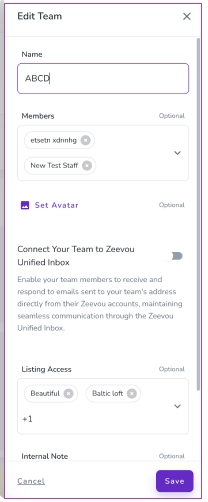
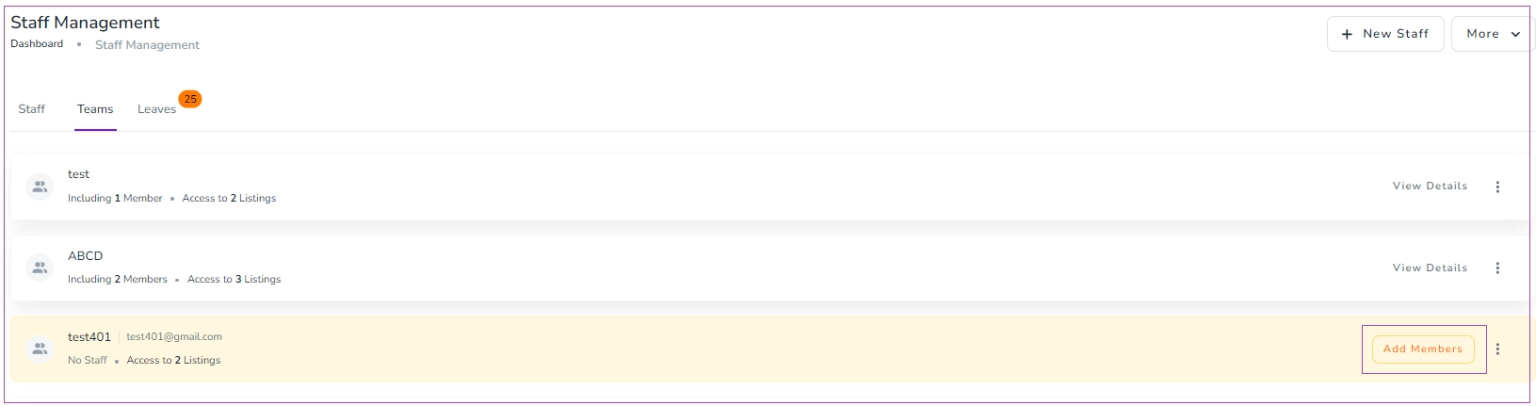
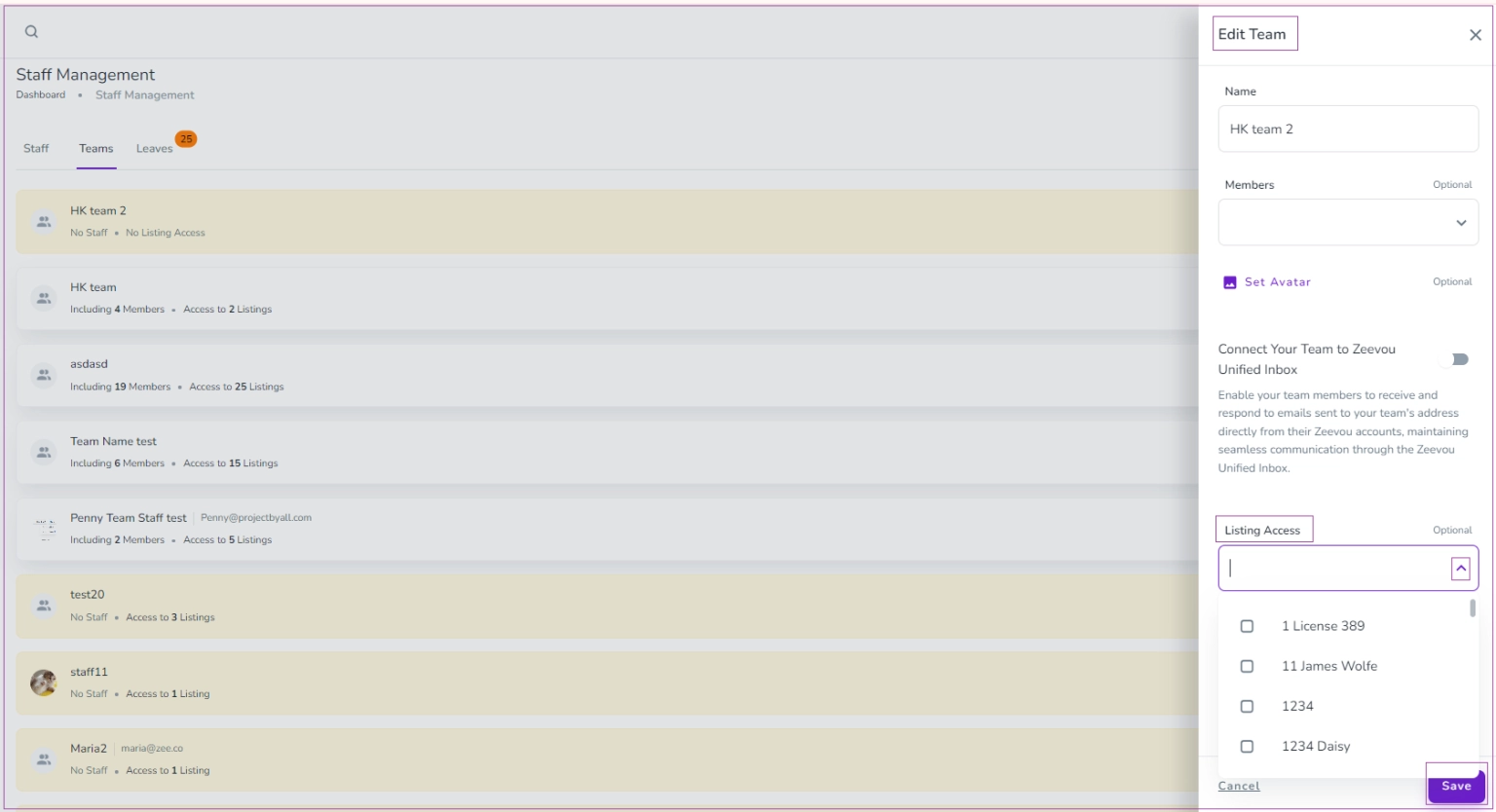
If you already created a team but have no staff, click Add Members or the three dots and select Edit.
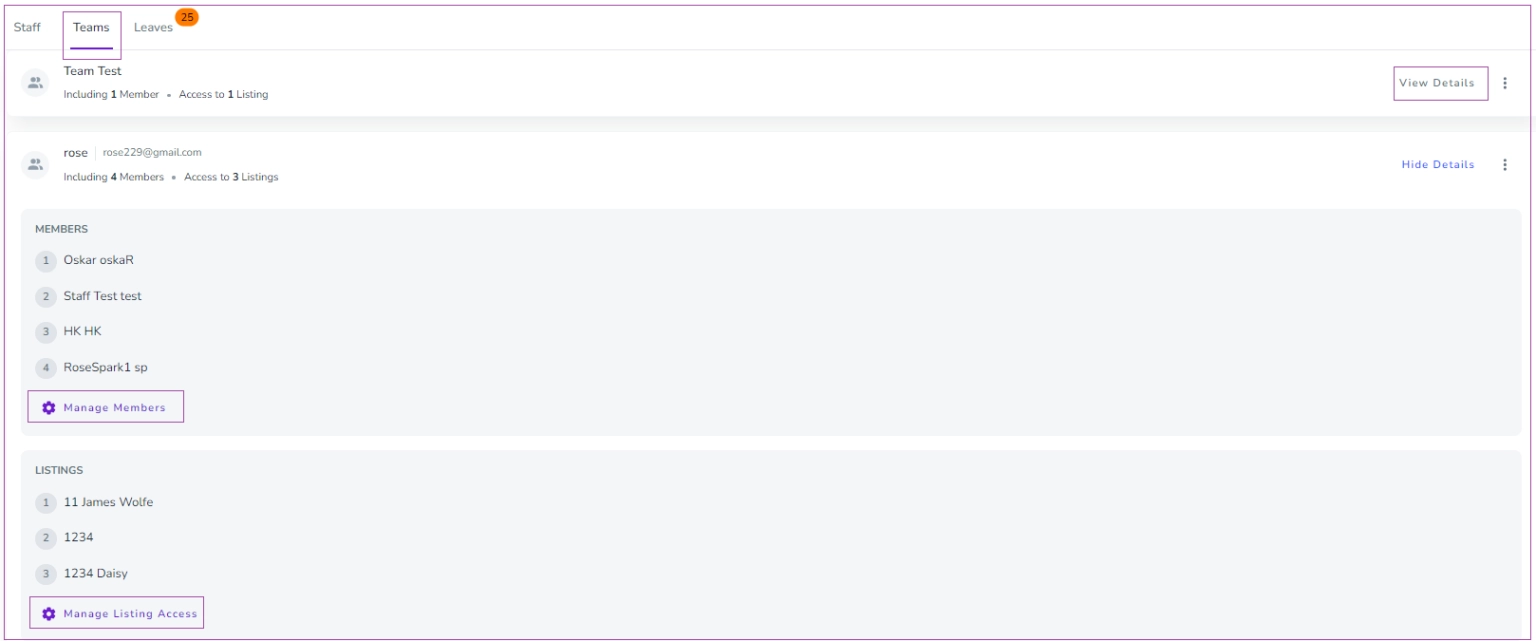
If the team has at least one member and one listing, click View Details to Manage Members or Manage Listing Access.
Click Add Members.
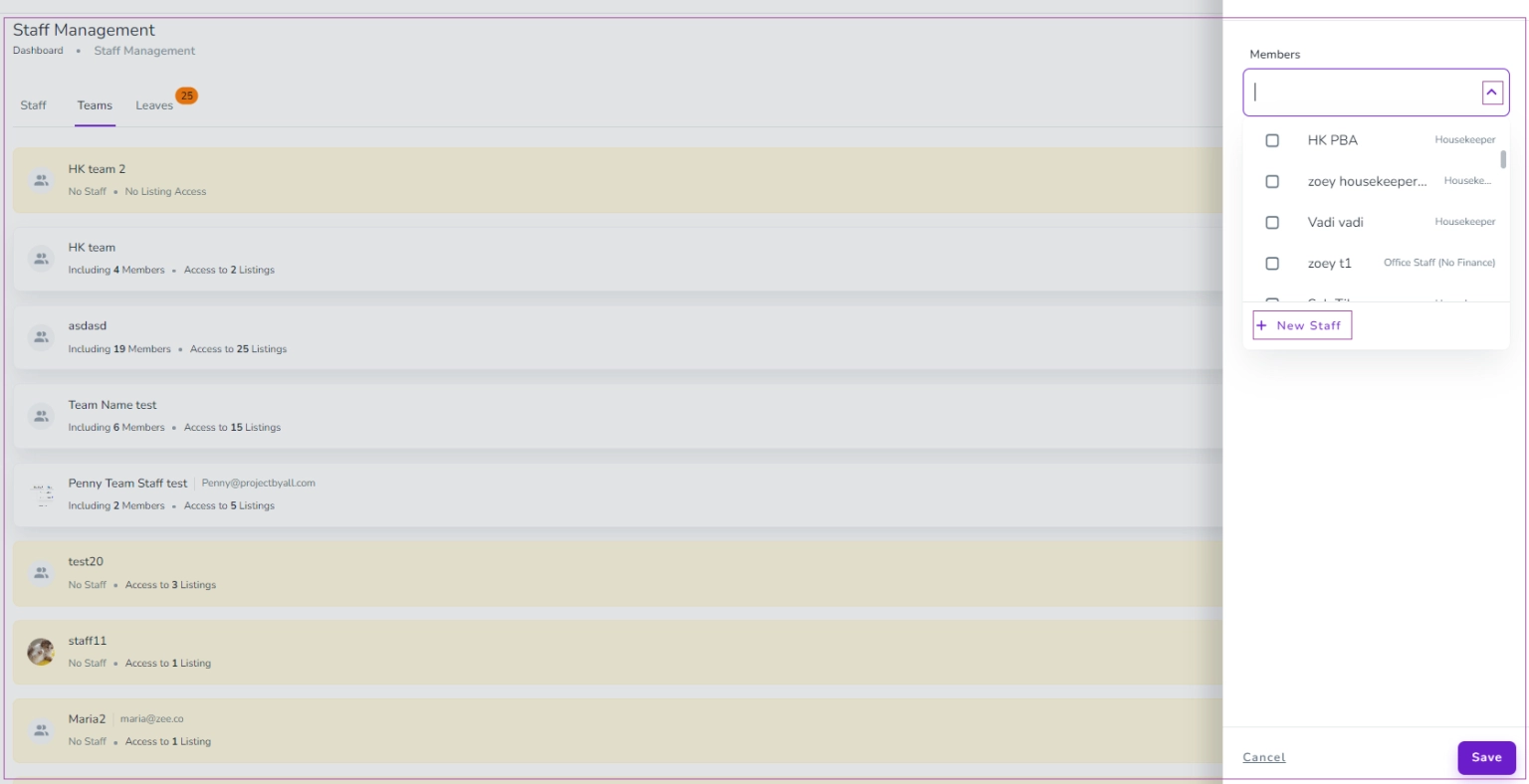
Select staff from the drop-down menu or click + New Staff to create a new member.
Click the three dots next to the team and select Edit.
In the drawer, choose your desired listing(s) from the drop-down menu.
Alternatively, go to Listings → Operations tab → Staff card, click Add Staff, and select your team.
This setup lets you manage teams efficiently and assign tasks automatically.
