Managing Staff Leaves
You can view, search, and manage staff leaves directly in Zeevou.
Accessing Leaves
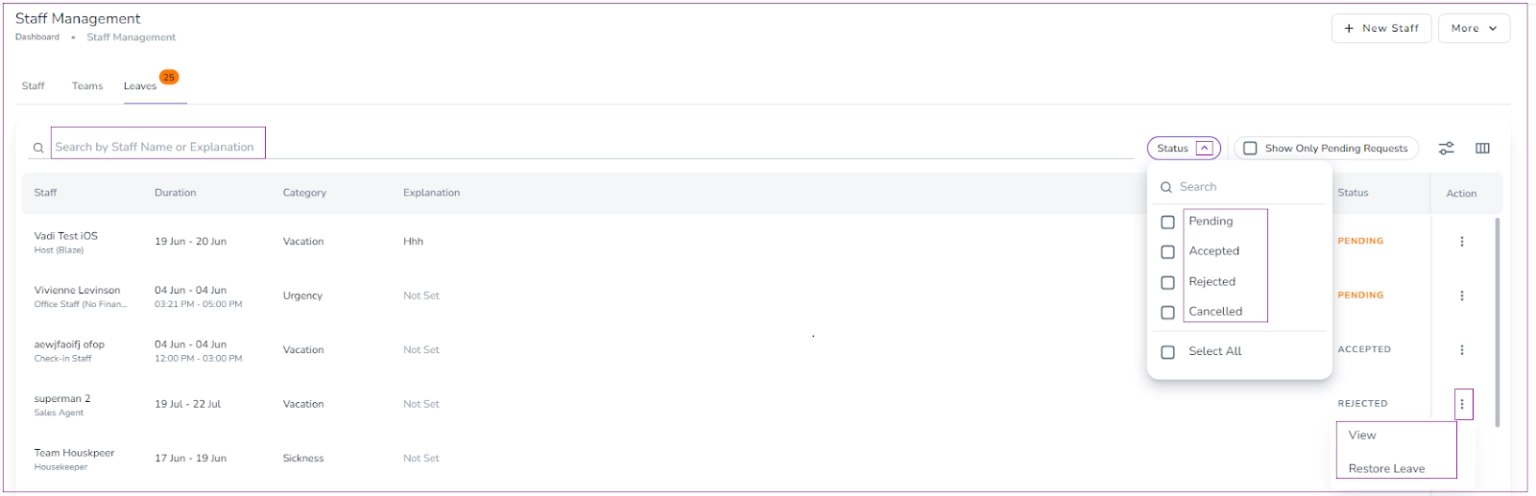
Click the gear icon and select Staff Management.
Go to the Leaves tab.
Search leaves by Staff Name, Explanation, or by Status: Pending, Accepted, Rejected, or Canceled.
Managing Existing Leaves
Accepted, Rejected, or Canceled Leaves:
Click the three dots to View or Restore the leave.Pending Leaves:
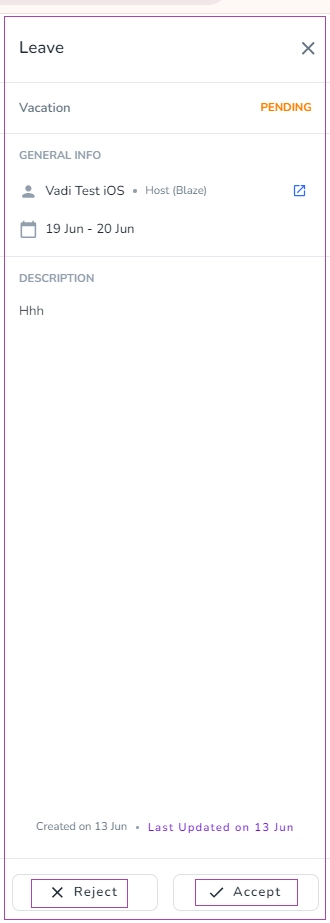
Click to View or Edit.Selecting View opens a drawer where you can Accept or Reject the leave.
Creating a Leave
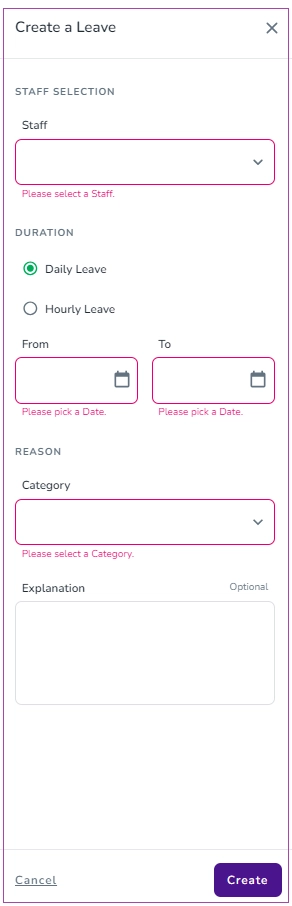
Click More → Create Leave.
In the drawer, select:
Staff
Duration
Date
Category
Optionally, enter an Explanation.
Click Create to save the leave.